Getting Started
Use this guide to set up TMS FNC Chart and choose the right entry point for the first chart workflow.
Choose a Framework
| Framework | Unit family | Use when |
|---|---|---|
| FireMonkey | FMX.TMSFNCChart* |
You build cross-platform desktop, mobile, or Linux FMX applications. |
| VCL | VCL.TMSFNCChart* |
You build Windows desktop applications. |
| TMS WEB Core | WEBLib.TMSFNCChart* |
You build browser applications. |
Package Selection
| Package area | Use when |
|---|---|
| Chart runtime | You need the chart controls and core chart classes. |
| Chart grid adapter | You connect chart series to grid or datagrid data. |
| Design-time packages | You use IDE registration and editors during development. |
First Chart
Drop TTMSFNCChart on the form for a general-purpose chart surface. Use a specialized chart class such as TTMSFNCBarChart, TTMSFNCPieChart, or TTMSFNCCandleStickChart when the form should start from a specific presentation.
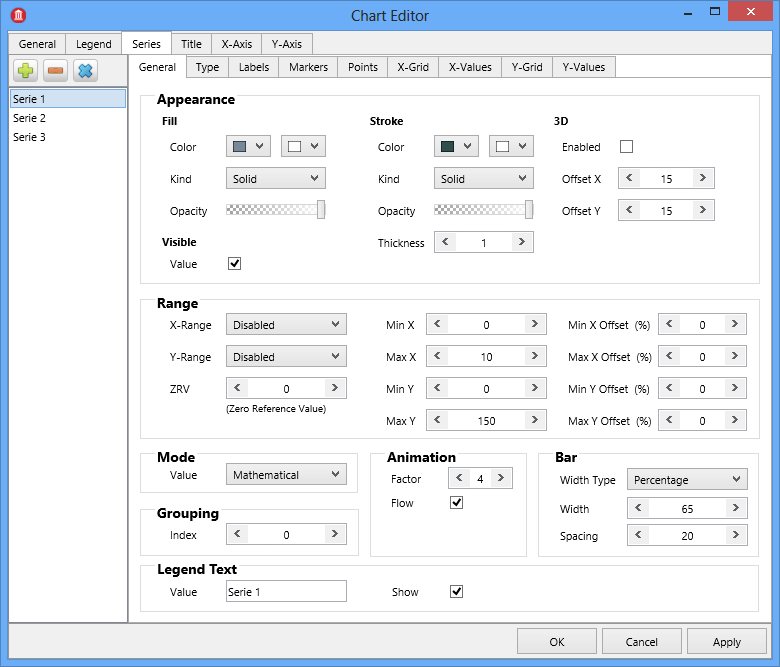
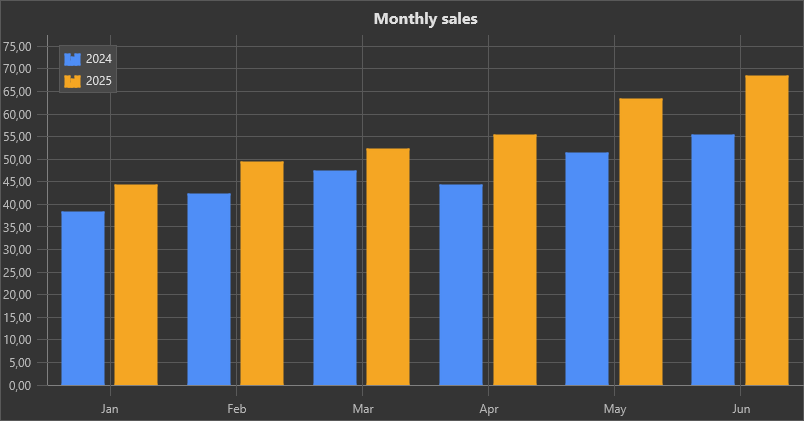
- Add one or more series through the
Seriescollection. - Set the series type, values, labels, and appearance.
- Configure axes, legend, labels, and interaction options for the required workflow.
- Use direct point values, CSV/JSON loading, or adapters depending on where the data lives.
Runtime Sample Data
The design-time sample values are also available at runtime. Clear them before loading application data, or call InitSample when a preview needs sample values.
procedure TForm1.ResetChart;
var
  I: Integer;
begin
  TMSFNCChart1.BeginUpdate;
  try
    for I := 0 to TMSFNCChart1.Series.Count - 1 do
      TMSFNCChart1.Series[I].Points.Clear;
  finally
    TMSFNCChart1.EndUpdate;
  end;
end;

procedure TForm1.ClearChart;
begin
  TMSFNCChart1.BeginUpdate;
  try
    TMSFNCChart1.Clear;
  finally
    TMSFNCChart1.EndUpdate;
  end;
end;

procedure TForm1.AddSampleData;
begin
  TMSFNCChart1.BeginUpdate;
  try
    TMSFNCChart1.InitSample;
  finally
    TMSFNCChart1.EndUpdate;
  end;
end;
void __fastcall TForm1::ResetChart()
{
  TMSFNCChart1->BeginUpdate();
  try
  {
    for (int I = 0; I < TMSFNCChart1->Series->Count; I++)
      TMSFNCChart1->Series->Items[I]->Points->Clear();
  }
  __finally
  {
    TMSFNCChart1->EndUpdate();
  }
}

void __fastcall TForm1::ClearChart()
{
  TMSFNCChart1->BeginUpdate();
  try
  {
    TMSFNCChart1->Clear();
  }
  __finally
  {
    TMSFNCChart1->EndUpdate();
  }
}

void __fastcall TForm1::AddSampleData()
{
  TMSFNCChart1->BeginUpdate();
  try
  {
    TMSFNCChart1->InitSample();
  }
  __finally
  {
    TMSFNCChart1->EndUpdate();
  }
}
Next Guides
| Task | Start here |
|---|---|
| Add values directly | Series and points |
| Configure axes and ranges | Axes and ranges |
| Load data from datasets or grids | Data and adapters |
| Customize styling and interaction | Appearance and interaction |