Custom timeline drawing
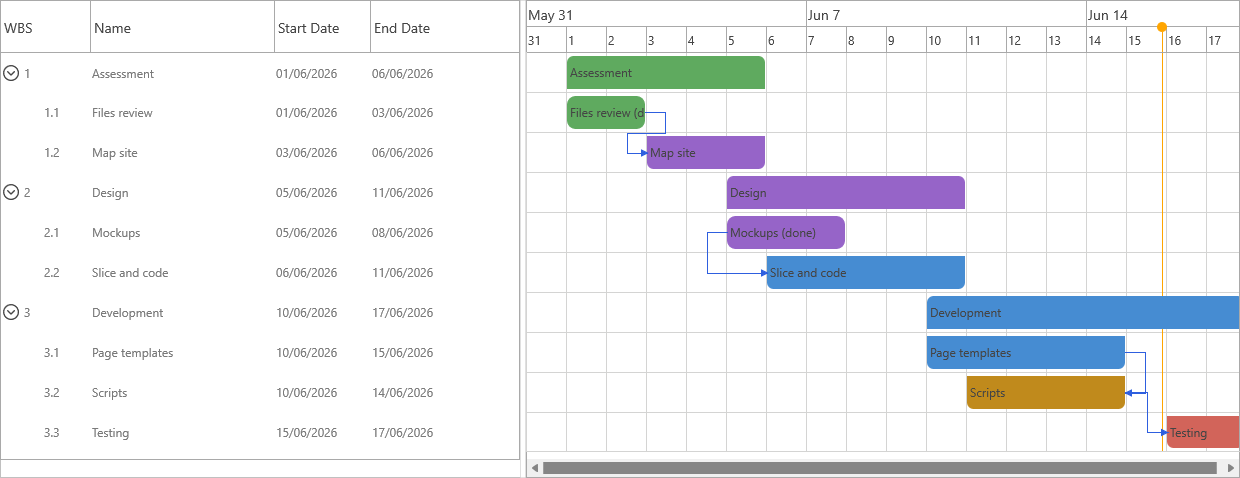
Every timeline element raises a paired OnBeforeDraw…/OnAfterDraw… event so you
can adjust or replace its rendering. OnBeforeDrawGanttTimeLineItem is the most
common entry point: it hands you the task and a mutable ADrawingParams record
and lets you change how the bar is drawn before the default renderer runs.
procedure TForm1.GanttChartBeforeDrawGanttTimeLineItem(Sender: TObject;
  AGraphics: TTMSFNCGraphics; ATask: TTMSFNCGanttTask;
  var ADrawingParams: TTMSFNCGanttItemDrawingParams;
  var AAllow: Boolean; var ADefaultDraw: Boolean);
begin
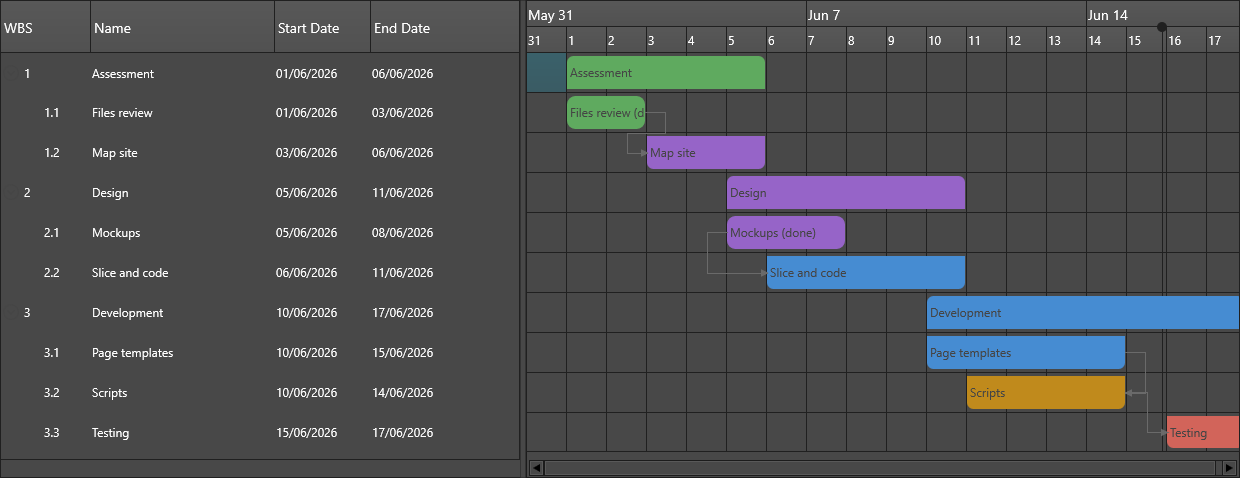
  { Round and relabel finished tasks, then let the default renderer draw them. }
  if ATask.Progress = 100 then
  begin
    ADrawingParams.Rounding := 8;
    ADrawingParams.Corners := [gcTopLeft, gcTopRight, gcBottomLeft, gcBottomRight];
    ADrawingParams.Text := ATask.Name + ' (done)';
  end;
  ADefaultDraw := True;
end;

{ Wire the handler: }
{   TMSFNCGanttChart1.OnBeforeDrawGanttTimeLineItem := GanttChartBeforeDrawGanttTimeLineItem; }
void __fastcall TForm1::GanttChartBeforeDrawGanttTimeLineItem(TObject *Sender,
  TTMSFNCGraphics *AGraphics, TTMSFNCGanttTask *ATask,
  TTMSFNCGanttItemDrawingParams &ADrawingParams,
  bool &AAllow, bool &ADefaultDraw)
{
  // Round and relabel finished tasks, then let the default renderer draw them.
  if (ATask->Progress == 100)
  {
    ADrawingParams.Rounding = 8;
    ADrawingParams.Corners = TTMSFNCGraphicsCorners() << gcTopLeft << gcTopRight << gcBottomLeft << gcBottomRight;
    ADrawingParams.Text = ATask->Name + " (done)";
  }
  ADefaultDraw = true;
}

// Wire the handler:
//   TMSFNCGanttChart1->OnBeforeDrawGanttTimeLineItem = GanttChartBeforeDrawGanttTimeLineItem;
The before/after pattern
Each drawable element exposes two events:
OnBeforeDraw…runs first. Adjust the supplied drawing-params record, setAAllow := Falseto skip the element entirely, or setADefaultDraw := Falseand paint it yourself throughAGraphics. LeavingADefaultDraw := Truedraws your tweaked params with the built-in renderer.OnAfterDraw…runs after the default rendering, for overlays such as badges or annotations on top of the element.
What you can hook
The timeline raises before/after events for the main elements, including:
- Task bars —
OnBeforeDrawGanttTimeLineItem, plus the progress portion, text, and the left/right sizing grips. - Dependency lines and their arrowheads.
- Event markers.
- The group-time band, the group-time text, and the time cells of the header.
The item drawing params
OnBeforeDrawGanttTimeLineItem receives a TTMSFNCGanttItemDrawingParams record
you can modify: DrawRect, Corners, Rounding, Hovered, Selected,
Exporting, Expanded, and Text. Reading Selected/Hovered lets you style
interaction states; Exporting is True while a PDF or print render is running,
so you can draw differently for export.
Putting it together
One handler that hooks the event, branches on task data, shapes the drawing params, and chooses whether the default renderer runs:
procedure TForm1.GanttChartBeforeDrawGanttTimeLineItem(Sender: TObject;
  AGraphics: TTMSFNCGraphics; ATask: TTMSFNCGanttTask;
  var ADrawingParams: TTMSFNCGanttItemDrawingParams;
  var AAllow: Boolean; var ADefaultDraw: Boolean);
begin
  { What you can hook: branch on task data. }
  if ATask.IsEventMarker then
    Exit;

  { The item drawing params: round and relabel completed tasks. }
  if ATask.Progress = 100 then
  begin
    ADrawingParams.Rounding := 8;
    ADrawingParams.Corners := [gcTopLeft, gcTopRight, gcBottomLeft, gcBottomRight];
    ADrawingParams.Text := ATask.Name + ' (done)';
  end;

  { The before/after pattern: keep the default renderer, drawing on top of it. }
  ADefaultDraw := True;
end;
void __fastcall TForm1::GanttChartBeforeDrawGanttTimeLineItem(TObject *Sender,
  TTMSFNCGraphics *AGraphics, TTMSFNCGanttTask *ATask,
  TTMSFNCGanttItemDrawingParams &ADrawingParams,
  bool &AAllow, bool &ADefaultDraw)
{
  // What you can hook: branch on task data.
  if (ATask->IsEventMarker)
    return;

  // The item drawing params: round and relabel completed tasks.
  if (ATask->Progress == 100)
  {
    ADrawingParams.Rounding = 8;
    ADrawingParams.Corners = TTMSFNCGraphicsCorners() << gcTopLeft << gcTopRight << gcBottomLeft << gcBottomRight;
    ADrawingParams.Text = ATask->Name + " (done)";
  }

  // The before/after pattern: keep the default renderer, drawing on top of it.
  ADefaultDraw = true;
}
See also
- Timeline configuration — units, grouping, and zoom.
- Appearance and styling — non-event visual configuration.
TTMSFNCGanttChartAPI