Expand and collapse
Summary tasks can be expanded to reveal their subtasks or collapsed to hide them,
both interactively and from code. CollapseTask and ExpandTask (optionally
recursive) drive this, and SelectTask brings a task into view — handy after
building or filtering a project, or when navigating from another control.
procedure TForm1.CollapseAllSummaries;
var
  I: Integer;
  LTask: TTMSFNCGanttTask;
begin
  TMSFNCGanttChart1.BeginUpdate;
  try
    for I := 0 to TMSFNCGanttChart1.Project.Tasks.Count - 1 do
    begin
      LTask := TMSFNCGanttChart1.Project.Tasks[I];
      if LTask.SubTasks.Count > 0 then
        TMSFNCGanttChart1.CollapseTask(LTask);
    end;
  finally
    TMSFNCGanttChart1.EndUpdate;
  end;

  { Re-open the first summary task recursively and select it. }
  if TMSFNCGanttChart1.Project.Tasks.Count > 0 then
  begin
    TMSFNCGanttChart1.ExpandTask(TMSFNCGanttChart1.Project.Tasks[0], True);
    TMSFNCGanttChart1.SelectTask(TMSFNCGanttChart1.Project.Tasks[0]);
  end;
end;
void __fastcall TForm1::CollapseAllSummaries()
{
  TTMSFNCGanttTask *LTask;

  TMSFNCGanttChart1->BeginUpdate();
  try
  {
    for (int I = 0; I < TMSFNCGanttChart1->Project->Tasks->Count; I++)
    {
      LTask = TMSFNCGanttChart1->Project->Tasks->Items[I];
      if (LTask->SubTasks->Count > 0)
        TMSFNCGanttChart1->CollapseTask(LTask);
    }
  }
  __finally
  {
    TMSFNCGanttChart1->EndUpdate();
  }

  // Re-open the first summary task recursively and select it.
  if (TMSFNCGanttChart1->Project->Tasks->Count > 0)
  {
    TMSFNCGanttChart1->ExpandTask(TMSFNCGanttChart1->Project->Tasks->Items[0], true);
    TMSFNCGanttChart1->SelectTask(TMSFNCGanttChart1->Project->Tasks->Items[0]);
  }
}
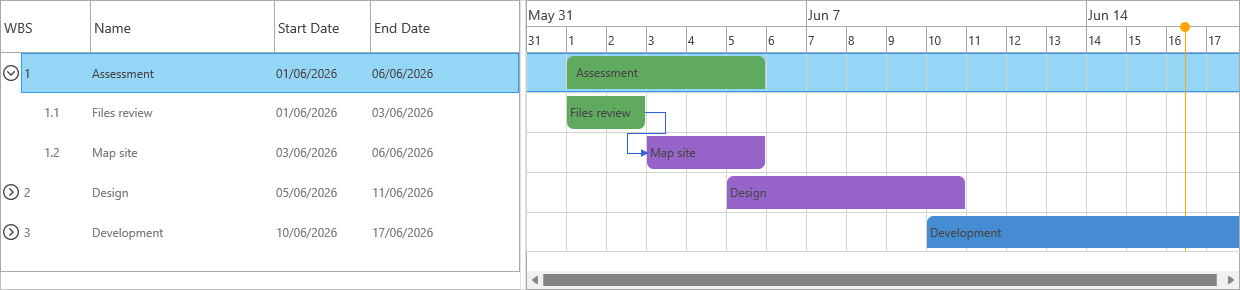
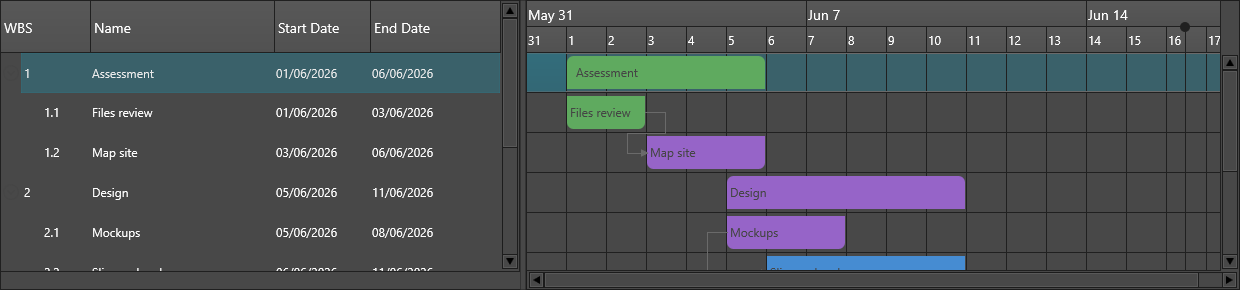
Showing and hiding subtasks
CollapseTask(ATask)hides a summary task's subtasks.ExpandTask(ATask, ARecursive)reveals them; passTrueto open the whole subtree,Falseto open only the immediate level.
Both participate in BeginUpdate/EndUpdate, so batch a full expand/collapse
sweep to avoid repainting on every step.
Selecting and navigating
The chart exposes a family of navigation helpers that respect the WBS order and the current visible (expanded) state:
| Member | Returns / does |
|---|---|
SelectTask(ATask) / SelectTaskByRow(ARow) |
Select a task and scroll it into view. |
GetSelectedRow |
The row index of the current selection. |
GetTaskByRow(ARow, AOnlyVisible) |
The task at a row, optionally counting only visible rows. |
GetRowByTask(ATask) |
The row index of a task. |
GetNextTask / GetPreviousTask |
Walk the full WBS order. |
GetNextVisibleTask |
Walk only currently visible (expanded) tasks. |
GetTasksCount |
Total number of tasks in the project. |
Pass ASameParent := True to the walk helpers to stay within one parent's
children instead of crossing into sibling branches.
See also
- Filtering tasks — combine with hierarchy modes to focus the view.
- Building a project — the task tree these operate on.
TTMSFNCGanttChartAPI