Task list columns and sorting
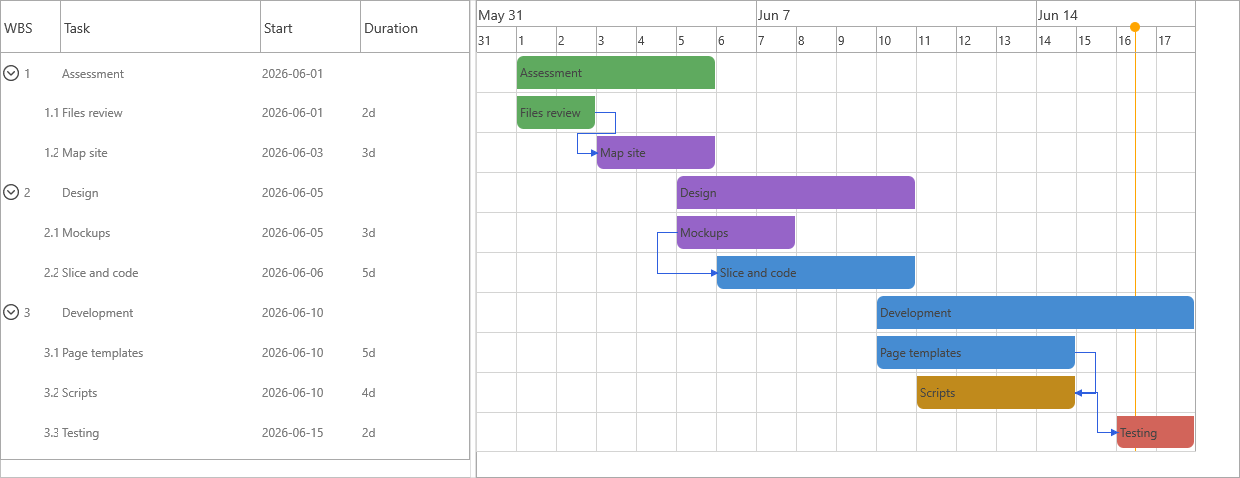
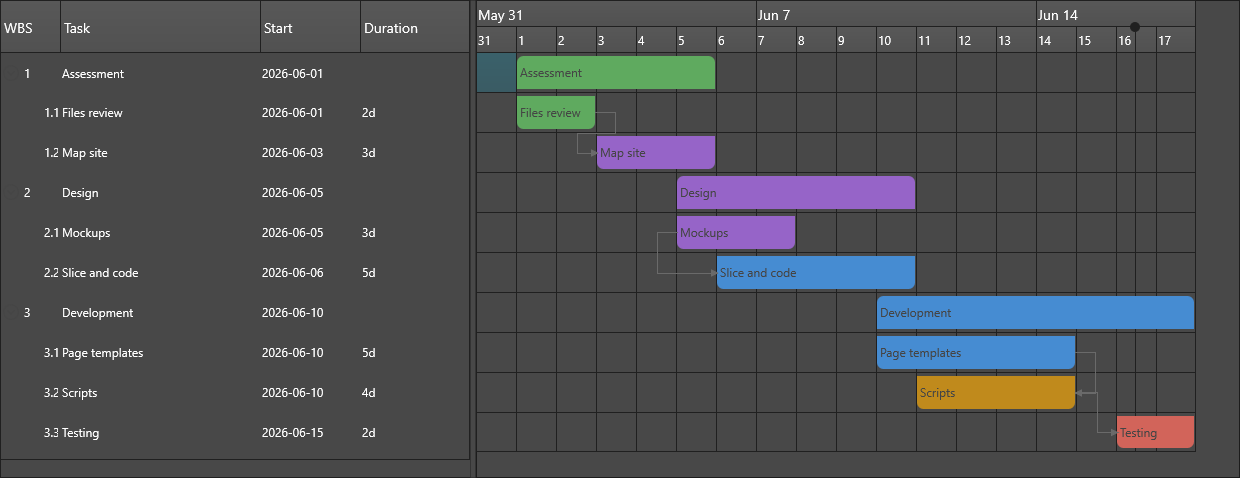
The task list shows whatever columns you configure. A column's Name binds it to
a piece of task data using a predefined identifier — wbs, taskname,
taskdescription, startdate, enddate, duration, statename, progress,
cost, dependencies, datastring, datainteger, or databoolean — while
HeaderText controls the visible caption. Set SizeableColumns to let users
resize them, and give a column a SortMethod so clicking its header sorts the
tasks. gtsRecursive sorts within each parent's children rather than flattening
the tree.
procedure TForm1.ConfigureColumns;
var
  LTaskName, LStart, LDuration: TTMSFNCGanttTaskListColumn;
begin
  TMSFNCGanttChart1.BeginUpdate;
  try
    TMSFNCGanttChart1.TaskListOptions.SizeableColumns := True;
    TMSFNCGanttChart1.TaskListOptions.DateFormat := 'yyyy-mm-dd';
    TMSFNCGanttChart1.TaskListOptions.Columns.Clear;

    { The Name maps the column to task data: wbs, taskname, startdate, duration, ... }
    TMSFNCGanttChart1.TaskListOptions.Columns.AddColumn('wbs', 'WBS', 60, 40);

    LTaskName := TMSFNCGanttChart1.TaskListOptions.Columns.AddColumn('taskname', 'Task', 200, 120);
    LTaskName.SortMethod := gtsRecursive; { sort within each parent's children }

    LStart := TMSFNCGanttChart1.TaskListOptions.Columns.AddColumn('startdate', 'Start', 100, 80);
    LStart.SortMethod := gtsNormal;

    LDuration := TMSFNCGanttChart1.TaskListOptions.Columns.AddColumn('duration', 'Duration', 90, 70);
    LDuration.SortMethod := gtsNormal;
  finally
    TMSFNCGanttChart1.EndUpdate;
  end;
end;
void __fastcall TForm1::ConfigureColumns()
{
  TTMSFNCGanttTaskListColumn *LTaskName, *LStart, *LDuration;

  TMSFNCGanttChart1->BeginUpdate();
  try
  {
    TMSFNCGanttChart1->TaskListOptions->SizeableColumns = true;
    TMSFNCGanttChart1->TaskListOptions->DateFormat = "yyyy-mm-dd";
    TMSFNCGanttChart1->TaskListOptions->Columns->Clear();

    // The Name maps the column to task data: wbs, taskname, startdate, duration, ...
    TMSFNCGanttChart1->TaskListOptions->Columns->AddColumn("wbs", "WBS", 60, 40);

    LTaskName = TMSFNCGanttChart1->TaskListOptions->Columns->AddColumn("taskname", "Task", 200, 120);
    LTaskName->SortMethod = gtsRecursive; // sort within each parent's children

    LStart = TMSFNCGanttChart1->TaskListOptions->Columns->AddColumn("startdate", "Start", 100, 80);
    LStart->SortMethod = gtsNormal;

    LDuration = TMSFNCGanttChart1->TaskListOptions->Columns->AddColumn("duration", "Duration", 90, 70);
    LDuration->SortMethod = gtsNormal;
  }
  __finally
  {
    TMSFNCGanttChart1->EndUpdate();
  }
}
Column options
Columns live in TaskListOptions.Columns; add them with AddColumn(AName, AHeaderText, AWidth, AMinimumWidth) or Add. Each TTMSFNCGanttTaskListColumn
exposes:
| Property | Purpose |
|---|---|
Name |
The predefined data identifier the column displays. |
HeaderText |
The visible header caption. |
Width |
Column width in pixels (default 100). |
SortMethod |
gtsNone, gtsNormal, gtsRecursive, or the case-sensitive variants. |
EditorType |
gcetNone, gcetEdit, or gcetCustom — enables in-place editing. |
TaskListOptions itself carries DateFormat (used by the date columns),
SizeableColumns, and IsVisible to hide the whole task-list panel.
Custom column text
When a predefined identifier is not enough — formatted currency, a computed
label, or values from DataString/DataInteger — handle
OnSetGanttListTaskColumnText to substitute the text drawn in any cell.
HTML text and anchors
Task-list cell text supports a subset of HTML, so a column value can include
bold, color, or an anchor: <a href="id">Open</a>. When the user clicks an
anchor, OnGanttTaskListTaskAnchorClick fires with the task, the column, and the
anchor's AText value (the href), letting you act on the click — open a
detail view, follow a link, or run a command — without adding a separate button
column.
Sorting from code
You can also sort without a header click. Project.Sort takes a property name,
whether to recurse into subtasks, case sensitivity, and direction:
procedure TForm1.SortByStart;
begin
  { AProperty uses the same predefined names as columns and filters. }
  { ARecurse keeps each parent's subtasks grouped while sorting within them. }
  TMSFNCGanttChart1.Project.Sort('startdate', True, False, True);
end;
void __fastcall TForm1::SortByStart()
{
  // AProperty uses the same predefined names as columns and filters.
  // ARecurse keeps each parent's subtasks grouped while sorting within them.
  TMSFNCGanttChart1->Project->Sort("startdate", true, false, true);
}
Header-click sorting and Project.Sort use the same predefined property names,
so a column's Name is also the value you pass to Sort.
Putting it together
Define a column set and sort the project by one of those columns' data properties in a single routine:
procedure TForm1.ColumnsAndSort;
var
  LStart: TTMSFNCGanttTaskListColumn;
begin
  TMSFNCGanttChart1.BeginUpdate;
  try
    { Column options: replace the defaults with a custom set. }
    TMSFNCGanttChart1.TaskListOptions.Columns.Clear;
    TMSFNCGanttChart1.TaskListOptions.Columns.AddColumn('wbs', 'WBS', 60, 40);
    TMSFNCGanttChart1.TaskListOptions.Columns.AddColumn('taskname', 'Task', 200, 120);
    LStart := TMSFNCGanttChart1.TaskListOptions.Columns.AddColumn('startdate', 'Start', 100, 80);
    LStart.SortMethod := gtsNormal;
  finally
    TMSFNCGanttChart1.EndUpdate;
  end;

  { Sorting from code: order by the same 'startdate' property, recursing into
    each parent's subtasks. }
  TMSFNCGanttChart1.Project.Sort('startdate', True, False, True);
end;
void __fastcall TForm1::ColumnsAndSort()
{
  TTMSFNCGanttTaskListColumn *LStart;

  TMSFNCGanttChart1->BeginUpdate();
  try
  {
    // Column options: replace the defaults with a custom set.
    TMSFNCGanttChart1->TaskListOptions->Columns->Clear();
    TMSFNCGanttChart1->TaskListOptions->Columns->AddColumn("wbs", "WBS", 60, 40);
    TMSFNCGanttChart1->TaskListOptions->Columns->AddColumn("taskname", "Task", 200, 120);
    LStart = TMSFNCGanttChart1->TaskListOptions->Columns->AddColumn("startdate", "Start", 100, 80);
    LStart->SortMethod = gtsNormal;
  }
  __finally
  {
    TMSFNCGanttChart1->EndUpdate();
  }

  // Sorting from code: order by the same 'startdate' property, recursing into
  // each parent's subtasks.
  TMSFNCGanttChart1->Project->Sort("startdate", true, false, true);
}
See also
- Filtering tasks — narrow the visible tasks by condition.
- In-place task editing — edit cell values directly in the list.
TTMSFNCGanttChartAPI