TMS FNC OpenLayers Guides
Use TTMSFNCOpenLayers when an application needs an interactive map backed by the OpenLayers JavaScript library and its open tile ecosystem. The component keeps the common TMS FNC Maps programming model for markers, labels, polylines, polygons, circles, rectangles, and events, while adding OpenLayers-specific tile layer, API version, cluster styling, GeoTIFF, and heat map features. Start with the default base layer for simple maps, then add custom TileLayers, Clusters, and HeatMaps when the screen needs domain-specific data overlays. The examples below assume a TTMSFNCOpenLayers named TMSFNCOpenLayers1 is already placed on the form.
API Version And Base Tiles
OpenLayers library updates can affect tile providers, plug-ins, and locally mirrored assets. Options.Version selects the OpenLayers API version loaded by the component, while Options.ShowBaseLayer and Options.TileServer control the default base map. New projects can usually keep the current default version, but production systems with verified provider behavior can pin a version before adding custom layers.
procedure TForm1.ConfigureOpenLayersVersion;
begin
  TMSFNCOpenLayers1.Options.Version := '10.9.0';
  TMSFNCOpenLayers1.Options.ShowBaseLayer := True;
  TMSFNCOpenLayers1.Options.TileServer :=
    'https://{a-c}.tile.openstreetmap.org/{z}/{x}/{y}.png';
end;
void __fastcall TForm1::ConfigureOpenLayersVersion()
{
  TMSFNCOpenLayers1->Options->Version = "10.9.0";
  TMSFNCOpenLayers1->Options->ShowBaseLayer = true;
  TMSFNCOpenLayers1->Options->TileServer =
    "https://{a-c}.tile.openstreetmap.org/{z}/{x}/{y}.png";
}
Use the default API version unless you have tested a provider or plug-in against a specific OpenLayers release. When you do pin a version, keep it visible in setup code so upgrades from OpenLayers v8, v9, or v10 are deliberate instead of accidental.
Tile Layers, GeoTIFF, And CSS Classes
Custom tile layers are useful when the default OSM-style base layer is not the primary data source. Add entries through TileLayers.Add or AddTileLayer, then set URL, Opacity, and Source. XYZ layers use a URL template, WMS layers use Params.Layers, GeoJSON layers use vector data, and GeoTIFF layers use tlsGeoTiff for raster data that must be rendered by OpenLayers. CSSClassName assigns a class to the rendered layer so application CSS can target opacity transitions, filters, or layer-specific presentation.
procedure TForm1.ConfigureOpenLayersTileLayers;
var
  LBaseLayer: TTMSFNCOpenLayersTileLayer;
  LWMSLayer: TTMSFNCOpenLayersTileLayer;
  LGeoTiffLayer: TTMSFNCOpenLayersTileLayer;
begin
  TMSFNCOpenLayers1.TileLayers.Clear;

  LBaseLayer := TMSFNCOpenLayers1.TileLayers.Add;
  LBaseLayer.Source := tlsXYZ;
  LBaseLayer.URL := 'https://{a-c}.tile.openstreetmap.org/{z}/{x}/{y}.png';
  LBaseLayer.Opacity := 1;
  LBaseLayer.CSSClassName := 'street-base-layer';

  LWMSLayer := TMSFNCOpenLayers1.TileLayers.Add;
  LWMSLayer.Source := tlsWMS;
  LWMSLayer.URL := 'https://ahocevar.com/geoserver/wms';
  LWMSLayer.Params.Layers := 'topp:states';
  LWMSLayer.Opacity := 0.55;
  LWMSLayer.CSSClassName := 'wms-boundary-layer';

  LGeoTiffLayer := TMSFNCOpenLayers1.TileLayers.Add;
  LGeoTiffLayer.Source := tlsGeoTiff;
  LGeoTiffLayer.URL := 'https://example.com/raster/temperature.tif';
  LGeoTiffLayer.Opacity := 0.65;
  LGeoTiffLayer.CSSClassName := 'geotiff-temperature-layer';
end;
void __fastcall TForm1::ConfigureOpenLayersTileLayers()
{
  TMSFNCOpenLayers1->TileLayers->Clear();

  TTMSFNCOpenLayersTileLayer *LBaseLayer = TMSFNCOpenLayers1->TileLayers->Add();
  LBaseLayer->Source = tlsXYZ;
  LBaseLayer->URL = "https://{a-c}.tile.openstreetmap.org/{z}/{x}/{y}.png";
  LBaseLayer->Opacity = 1;
  LBaseLayer->CSSClassName = "street-base-layer";

  TTMSFNCOpenLayersTileLayer *LWMSLayer = TMSFNCOpenLayers1->TileLayers->Add();
  LWMSLayer->Source = tlsWMS;
  LWMSLayer->URL = "https://ahocevar.com/geoserver/wms";
  LWMSLayer->Params->Layers = "topp:states";
  LWMSLayer->Opacity = 0.55;
  LWMSLayer->CSSClassName = "wms-boundary-layer";

  TTMSFNCOpenLayersTileLayer *LGeoTiffLayer = TMSFNCOpenLayers1->TileLayers->Add();
  LGeoTiffLayer->Source = tlsGeoTiff;
  LGeoTiffLayer->URL = "https://example.com/raster/temperature.tif";
  LGeoTiffLayer->Opacity = 0.65;
  LGeoTiffLayer->CSSClassName = "geotiff-temperature-layer";
}
GeoTIFF layers depend on the OpenLayers GeoTIFF support loaded by the generated page. Keep the URL reachable from the browser runtime, not just from the Delphi process, and prefer HTTPS endpoints when the map is hosted inside a secure web view.
Markers, Anchors, And Clusters
Markers use the shared maps coordinate model, then add OpenLayers-specific anchor control. Leave DefaultAnchor enabled for the built-in marker offset. Set DefaultAnchor to False and adjust Anchor.X and Anchor.Y when a custom icon must align its tip, center, or lower edge precisely with the coordinate. For dense marker sets, create cluster groups with Clusters.Add and assign markers to the cluster.
procedure TForm1.ConfigureOpenLayersMarkersAndClusters;
var
  LCluster: TTMSFNCOpenLayersCluster;
  LMarker: TTMSFNCOpenLayersMarker;
begin
  TMSFNCOpenLayers1.Markers.Clear;
  TMSFNCOpenLayers1.Clusters.Clear;

  LCluster := TMSFNCOpenLayers1.Clusters.Add;
  LCluster.ImagePath := 'images/cluster-office.png';
  LCluster.FillColor := gcDodgerblue;
  LCluster.FontColor := gcWhite;
  LCluster.StrokeColor := gcNavy;

  LMarker := TMSFNCOpenLayers1.Markers.Add;
  LMarker.Coordinate.Latitude := 51.5074;
  LMarker.Coordinate.Longitude := -0.1278;
  LMarker.Title := 'London office';
  LMarker.DefaultAnchor := False;
  LMarker.Anchor.X := 16;
  LMarker.Anchor.Y := 32;
  LMarker.Cluster := LCluster;
  LCluster.Markers.Add(LMarker);
end;
void __fastcall TForm1::ConfigureOpenLayersMarkersAndClusters()
{
  TMSFNCOpenLayers1->Markers->Clear();
  TMSFNCOpenLayers1->Clusters->Clear();

  TTMSFNCOpenLayersCluster *LCluster = TMSFNCOpenLayers1->Clusters->Add();
  LCluster->ImagePath = "images/cluster-office.png";
  LCluster->FillColor = gcDodgerblue;
  LCluster->FontColor = gcWhite;
  LCluster->StrokeColor = gcNavy;

  TTMSFNCOpenLayersMarker *LMarker = TMSFNCOpenLayers1->Markers->Add();
  LMarker->Coordinate->Latitude = 51.5074;
  LMarker->Coordinate->Longitude = -0.1278;
  LMarker->Title = "London office";
  LMarker->DefaultAnchor = false;
  LMarker->Anchor->X = 16;
  LMarker->Anchor->Y = 32;
  LMarker->Cluster = LCluster;
  LCluster->Markers->Add(LMarker);
}
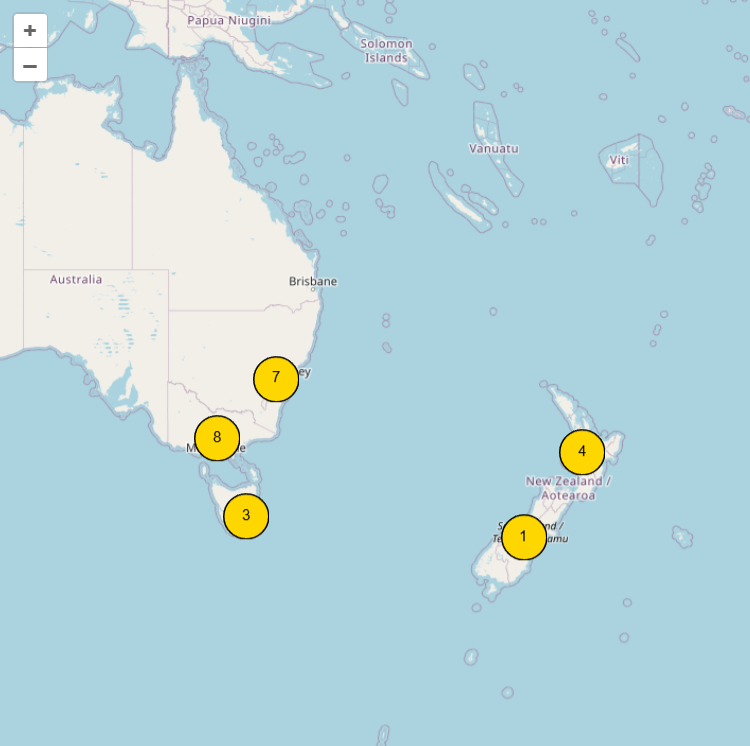
Cluster styling can use ImagePath for a custom cluster marker image, or FillColor, FontColor, and StrokeColor for generated cluster presentation. Keep cluster images lightweight because they are used repeatedly as zoom changes split and merge marker groups.
Heat Maps And Labels
Heat maps show density and intensity without forcing every point to become a clickable marker. Use HeatMaps.Add for manual construction, or AddHeatMap when you already have a coordinate array. Populate WeightedCoordinates with latitude, longitude, and weight values, then adjust Opacity and the gradient colors to keep the overlay readable on the selected tile layer. Labels are available through the shared Labels collection and can annotate the same area without adding another marker.
procedure TForm1.ConfigureOpenLayersHeatMapAndLabels;
var
  LHeatMap: TTMSFNCOpenLayersHeatMap;
  LWeightedCoordinate: TTMSFNCMapsWeightedCoordinate;
  LLabel: TTMSFNCMapsLabel;
begin
  TMSFNCOpenLayers1.HeatMaps.Clear;
  TMSFNCOpenLayers1.Labels.Clear;

  LHeatMap := TMSFNCOpenLayers1.HeatMaps.Add;
  LHeatMap.Opacity := 0.6;
  LHeatMap.GradientStartColor := gcGreen;
  LHeatMap.GradientMidColor := gcYellow;
  LHeatMap.GradientEndColor := gcRed;

  LWeightedCoordinate := LHeatMap.WeightedCoordinates.Add;
  LWeightedCoordinate.Coordinate.Latitude := 48.8566;
  LWeightedCoordinate.Coordinate.Longitude := 2.3522;
  LWeightedCoordinate.Weight := 0.9;

  LWeightedCoordinate := LHeatMap.WeightedCoordinates.Add;
  LWeightedCoordinate.Coordinate.Latitude := 50.8503;
  LWeightedCoordinate.Coordinate.Longitude := 4.3517;
  LWeightedCoordinate.Weight := 0.6;

  LLabel := TMSFNCOpenLayers1.Labels.Add;
  LLabel.Coordinate.Latitude := 48.8566;
  LLabel.Coordinate.Longitude := 2.3522;
  LLabel.Text := 'High demand';
  LLabel.BackgroundColor := gcWhite;
  LLabel.BorderColor := gcDodgerblue;
end;
void __fastcall TForm1::ConfigureOpenLayersHeatMapAndLabels()
{
  TMSFNCOpenLayers1->HeatMaps->Clear();
  TMSFNCOpenLayers1->Labels->Clear();

  TTMSFNCOpenLayersHeatMap *LHeatMap = TMSFNCOpenLayers1->HeatMaps->Add();
  LHeatMap->Opacity = 0.6;
  LHeatMap->GradientStartColor = gcGreen;
  LHeatMap->GradientMidColor = gcYellow;
  LHeatMap->GradientEndColor = gcRed;

  TTMSFNCMapsWeightedCoordinate *LWeightedCoordinate = LHeatMap->WeightedCoordinates->Add();
  LWeightedCoordinate->Coordinate->Latitude = 48.8566;
  LWeightedCoordinate->Coordinate->Longitude = 2.3522;
  LWeightedCoordinate->Weight = 0.9;

  LWeightedCoordinate = LHeatMap->WeightedCoordinates->Add();
  LWeightedCoordinate->Coordinate->Latitude = 50.8503;
  LWeightedCoordinate->Coordinate->Longitude = 4.3517;
  LWeightedCoordinate->Weight = 0.6;

  TTMSFNCMapsLabel *LLabel = TMSFNCOpenLayers1->Labels->Add();
  LLabel->Coordinate->Latitude = 48.8566;
  LLabel->Coordinate->Longitude = 2.3522;
  LLabel->Text = "High demand";
  LLabel->BackgroundColor = gcWhite;
  LLabel->BorderColor = gcDodgerblue;
}
Prefer a heat map when users need a regional trend, and markers or labels when they need an exact point. Combining both works well when a map opens with density first and then labels only the highest-priority locations.
Right-Click Events
OpenLayers exposes right-click hooks for the map canvas, markers, and poly elements. Wire OnMapRightClick, OnMarkerRightClick, and OnPolyElementRightClick when the application needs context menus, edit actions, or quick inspection without taking over the normal left-click navigation flow.
procedure TForm1.ConfigureOpenLayersContextEvents;
begin
  TMSFNCOpenLayers1.OnMapRightClick := TMSFNCOpenLayers1MapRightClick;
  TMSFNCOpenLayers1.OnMarkerRightClick := TMSFNCOpenLayers1MarkerRightClick;
  TMSFNCOpenLayers1.OnPolyElementRightClick := TMSFNCOpenLayers1PolyElementRightClick;
end;

procedure TForm1.TMSFNCOpenLayers1MapRightClick(Sender: TObject;
  AEventData: TTMSFNCMapsEventData);
begin
  { Show a map-level context menu at AEventData.Coordinate. }
end;

procedure TForm1.TMSFNCOpenLayers1MarkerRightClick(Sender: TObject;
  AEventData: TTMSFNCMapsEventData);
begin
  if Assigned(AEventData.Marker) then
    AEventData.Marker.Title := 'Selected marker';
end;

procedure TForm1.TMSFNCOpenLayers1PolyElementRightClick(Sender: TObject;
  AEventData: TTMSFNCMapsEventData);
begin
  if Assigned(AEventData.PolyElement) then
    AEventData.PolyElement.DataString := 'Selected poly element';
end;
void __fastcall TForm1::ConfigureOpenLayersContextEvents()
{
  TMSFNCOpenLayers1->OnMapRightClick = TMSFNCOpenLayers1MapRightClick;
  TMSFNCOpenLayers1->OnMarkerRightClick = TMSFNCOpenLayers1MarkerRightClick;
  TMSFNCOpenLayers1->OnPolyElementRightClick = TMSFNCOpenLayers1PolyElementRightClick;
}

void __fastcall TForm1::TMSFNCOpenLayers1MapRightClick(TObject *Sender,
  TTMSFNCMapsEventData *AEventData)
{
  // Show a map-level context menu at AEventData->Coordinate.
}

void __fastcall TForm1::TMSFNCOpenLayers1MarkerRightClick(TObject *Sender,
  TTMSFNCMapsEventData *AEventData)
{
  if (AEventData->Marker != nullptr)
    AEventData->Marker->Title = "Selected marker";
}

void __fastcall TForm1::TMSFNCOpenLayers1PolyElementRightClick(TObject *Sender,
  TTMSFNCMapsEventData *AEventData)
{
  if (AEventData->PolyElement != nullptr)
    AEventData->PolyElement->DataString = "Selected poly element";
}
Event handlers receive TTMSFNCMapsEventData, so the same pattern can read the clicked coordinate, marker, or poly element. Keep handlers short; long-running work should be deferred so the embedded browser remains responsive.
Combined Overlay Setup
A typical operational map combines a pinned OpenLayers version, a custom tile source, clustered markers, a heat layer, labels, and context events. Group related setup inside BeginUpdate and EndUpdate so the component can apply the final scene instead of repainting after every property assignment.
procedure TForm1.BuildOpenLayersOperationsMap;
var
  LLayer: TTMSFNCOpenLayersTileLayer;
  LCluster: TTMSFNCOpenLayersCluster;
  LMarker: TTMSFNCOpenLayersMarker;
  LHeatMap: TTMSFNCOpenLayersHeatMap;
  LWeightedCoordinate: TTMSFNCMapsWeightedCoordinate;
begin
  TMSFNCOpenLayers1.BeginUpdate;
  try
    TMSFNCOpenLayers1.Options.Version := '10.9.0';
    TMSFNCOpenLayers1.Options.ShowBaseLayer := True;

    LLayer := TMSFNCOpenLayers1.AddTileLayer(
      'https://{a-c}.tile.openstreetmap.org/{z}/{x}/{y}.png', 1);
    LLayer.Source := tlsXYZ;
    LLayer.CSSClassName := 'operations-base-layer';

    LCluster := TMSFNCOpenLayers1.Clusters.Add;
    LCluster.FillColor := gcDarkgreen;
    LCluster.FontColor := gcWhite;
    LCluster.StrokeColor := gcWhite;

    LMarker := TMSFNCOpenLayers1.Markers.Add;
    LMarker.Coordinate.Latitude := 52.52;
    LMarker.Coordinate.Longitude := 13.405;
    LMarker.Title := 'Berlin depot';
    LMarker.DefaultAnchor := False;
    LMarker.Anchor.X := 14;
    LMarker.Anchor.Y := 30;
    LMarker.Cluster := LCluster;
    LCluster.Markers.Add(LMarker);

    LHeatMap := TMSFNCOpenLayers1.HeatMaps.Add;
    LHeatMap.Opacity := 0.45;
    LWeightedCoordinate := LHeatMap.WeightedCoordinates.Add;
    LWeightedCoordinate.Coordinate.Latitude := 52.52;
    LWeightedCoordinate.Coordinate.Longitude := 13.405;
    LWeightedCoordinate.Weight := 0.8;

    TMSFNCOpenLayers1.AddLabel(52.52, 13.405, 'Berlin depot', gcWhite, gcDarkgreen);

    TMSFNCOpenLayers1.OnMapRightClick := TMSFNCOpenLayers1MapRightClick;
    TMSFNCOpenLayers1.OnMarkerRightClick := TMSFNCOpenLayers1MarkerRightClick;
    TMSFNCOpenLayers1.OnPolyElementRightClick := TMSFNCOpenLayers1PolyElementRightClick;
  finally
    TMSFNCOpenLayers1.EndUpdate;
  end;
end;
void __fastcall TForm1::BuildOpenLayersOperationsMap()
{
  TMSFNCOpenLayers1->BeginUpdate();
  __try
  {
    TMSFNCOpenLayers1->Options->Version = "10.9.0";
    TMSFNCOpenLayers1->Options->ShowBaseLayer = true;

    TTMSFNCOpenLayersTileLayer *LLayer = TMSFNCOpenLayers1->AddTileLayer(
      "https://{a-c}.tile.openstreetmap.org/{z}/{x}/{y}.png", 1);
    LLayer->Source = tlsXYZ;
    LLayer->CSSClassName = "operations-base-layer";

    TTMSFNCOpenLayersCluster *LCluster = TMSFNCOpenLayers1->Clusters->Add();
    LCluster->FillColor = gcDarkgreen;
    LCluster->FontColor = gcWhite;
    LCluster->StrokeColor = gcWhite;

    TTMSFNCOpenLayersMarker *LMarker = TMSFNCOpenLayers1->Markers->Add();
    LMarker->Coordinate->Latitude = 52.52;
    LMarker->Coordinate->Longitude = 13.405;
    LMarker->Title = "Berlin depot";
    LMarker->DefaultAnchor = false;
    LMarker->Anchor->X = 14;
    LMarker->Anchor->Y = 30;
    LMarker->Cluster = LCluster;
    LCluster->Markers->Add(LMarker);

    TTMSFNCOpenLayersHeatMap *LHeatMap = TMSFNCOpenLayers1->HeatMaps->Add();
    LHeatMap->Opacity = 0.45;
    TTMSFNCMapsWeightedCoordinate *LWeightedCoordinate = LHeatMap->WeightedCoordinates->Add();
    LWeightedCoordinate->Coordinate->Latitude = 52.52;
    LWeightedCoordinate->Coordinate->Longitude = 13.405;
    LWeightedCoordinate->Weight = 0.8;

    TMSFNCOpenLayers1->AddLabel(52.52, 13.405, "Berlin depot", gcWhite, gcDarkgreen);

    TMSFNCOpenLayers1->OnMapRightClick = TMSFNCOpenLayers1MapRightClick;
    TMSFNCOpenLayers1->OnMarkerRightClick = TMSFNCOpenLayers1MarkerRightClick;
    TMSFNCOpenLayers1->OnPolyElementRightClick = TMSFNCOpenLayers1PolyElementRightClick;
  }
  __finally
  {
    TMSFNCOpenLayers1->EndUpdate();
  }
}
This pattern keeps the base map, point data, density overlay, and interaction hooks together. Split it into smaller methods when the layer choices are user-selectable, but keep the version and tile source decisions close to the map initialization path.
Common Pitfalls
- Set
Options.Versionbefore loading or refreshing a production map, especially when validating OpenLayers v8, v9, or v10 compatibility. - Use
DefaultAnchor := Falsebefore changingAnchor.XorAnchor.Y; otherwise the built-in marker anchor remains active. - Assign marker clusters before relying on cluster rendering, and call
Clusters.Recreatewhen cluster styling must be rebuilt after a live style change. - GeoTIFF, WMS, and custom XYZ URLs must be reachable by the browser control and allowed by the host site's security policy.
- Keep heat map weights in a consistent range so gradient colors remain meaningful across refreshes.