Lookup and Input Modes
TTMSFNCEdit extends a standard edit field with lookup suggestions, autocomplete, input type filtering, history capture, and password display.
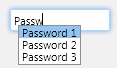
Enable Lookup Suggestions
Set Lookup.Enabled to show suggestions. Add values to Lookup.DisplayList, then tune Lookup.DisplayCount and Lookup.NumChars to control when the list opens and how many values it shows.
TMSFNCEdit1.Lookup.Enabled := True;
TMSFNCEdit1.Lookup.DisplayCount := 6;
TMSFNCEdit1.Lookup.NumChars := 2;
TMSFNCEdit1.Lookup.DisplayList.Clear;
TMSFNCEdit1.Lookup.DisplayList.Add('Alpha');
TMSFNCEdit1.Lookup.DisplayList.Add('Beta');
TMSFNCEdit1.Lookup.DisplayList.Add('Gamma');
TMSFNCEdit1.DisplayLookup;
TMSFNCEdit1->Lookup->Enabled = true;
TMSFNCEdit1->Lookup->DisplayCount = 6;
TMSFNCEdit1->Lookup->NumChars = 2;
TMSFNCEdit1->Lookup->DisplayList->Clear();
TMSFNCEdit1->Lookup->DisplayList->Add("Alpha");
TMSFNCEdit1->Lookup->DisplayList->Add("Beta");
TMSFNCEdit1->Lookup->DisplayList->Add("Gamma");
TMSFNCEdit1->DisplayLookup();
Add Autocomplete and History
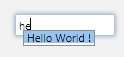
Enable AutoComplete when the edit should complete matching lookup values while the user types. Enable Lookup.History when accepted values should be remembered for later suggestions.

TMSFNCEdit1.Lookup.Enabled := True;
TMSFNCEdit1.Lookup.History := True;
TMSFNCEdit1.Lookup.DisplayList.Add('Hello World');
TMSFNCEdit1.Lookup.DisplayList.Add('Help desk');
TMSFNCEdit1.AutoComplete := True;
TMSFNCEdit1->Lookup->Enabled = true;
TMSFNCEdit1->Lookup->History = true;
TMSFNCEdit1->Lookup->DisplayList->Add("Hello World");
TMSFNCEdit1->Lookup->DisplayList->Add("Help desk");
TMSFNCEdit1->AutoComplete = true;
Choose an Input Mode
Set EditType to constrain input to numeric, signed numeric, float, signed float, money, uppercase, lowercase, mixed case, hexadecimal, or plain text. Use Password when the text should be masked.
TMSFNCEdit1.EditType := etMoney;
TMSFNCEdit1.Text := '125.00';

TMSFNCEdit2.EditType := etUpperCase;
TMSFNCEdit2.Text := 'CODE';

TMSFNCEdit3.Password := True;
TMSFNCEdit3.Text := 'secret';
TMSFNCEdit1->EditType = etMoney;
TMSFNCEdit1->Text = "125.00";

TMSFNCEdit2->EditType = etUpperCase;
TMSFNCEdit2->Text = "CODE";

TMSFNCEdit3->Password = true;
TMSFNCEdit3->Text = "secret";
Combining lookup, autocomplete, and input filtering
A typical settings-screen search field combines all three features: a history-backed lookup list, autocomplete while typing, and an uppercase input filter so city codes are always stored in canonical form:
procedure TForm1.FormCreate(Sender: TObject);
begin
  // Lookup list: show suggestions after 2 characters, keep 5 visible
  TMSFNCEdit1.Lookup.Enabled      := True;
  TMSFNCEdit1.Lookup.NumChars     := 2;
  TMSFNCEdit1.Lookup.DisplayCount := 5;
  TMSFNCEdit1.Lookup.History      := True;       // remember accepted values

  // Seed the display list from a database or config file
  TMSFNCEdit1.Lookup.DisplayList.Add('Amsterdam');
  TMSFNCEdit1.Lookup.DisplayList.Add('Brussels');
  TMSFNCEdit1.Lookup.DisplayList.Add('Copenhagen');

  // Autocomplete: finish the word as the user types
  TMSFNCEdit1.AutoComplete := True;

  // Input mode: force uppercase so "ams" becomes "AMS"
  TMSFNCEdit1.EditType := etUpperCase;
end;