TMS FNC TreeView
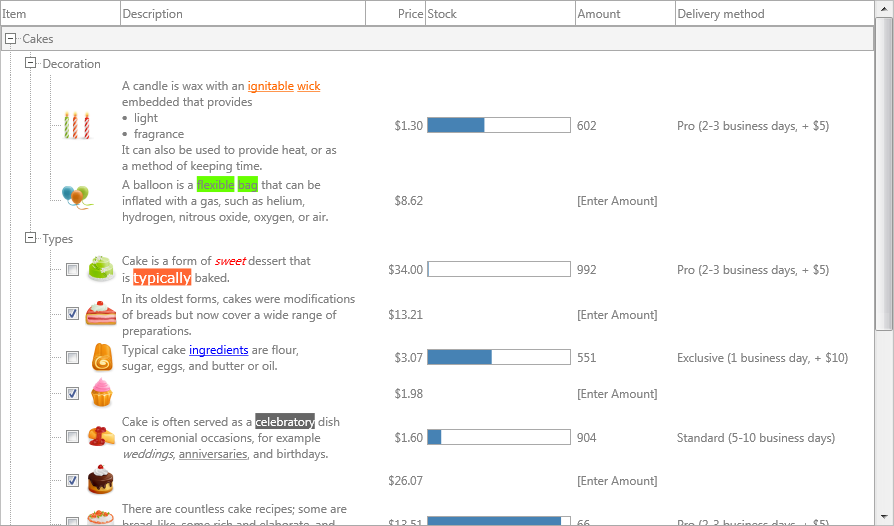
TMS FNC TreeView is a multi-column, high-performance tree control for VCL, FMX, and WEB Core. It supports both a virtual mode (data retrieved via events, suitable for millions of nodes) and a collection-based mode (nodes stored in a Nodes collection). Both modes use the same API surface, differentiated by method/property name suffixes.
Documentation
Start here
Use when
Get started You want a working tree on screen quickly.
Guides You want task-oriented chapters grouped by feature area.
API reference You want class, property, method, and event details.
Key features
High-performance virtual and collection-based node modes
Multi-column support with autosizing and stretching
HTML-formatted text in nodes via TMS Mini HTML
Column groups spanning multiple columns
Fixed and variable node height
Checkbox and radiobutton support per node column
Extended nodes stretching across all columns
Inplace editing with TEdit, TMemo, TComboBox, or a custom editor
Filtering (dropdown and programmatic) and sorting per column
Clipboard cut/copy/paste
Drag-and-drop and node reordering
JSON viewer via ViewJSON
TTMSFNCCheckedTreeView
API classes
Class
Responsibility
TTMSFNCTreeViewMain component — handles rendering, interaction, and the collection-based node API
TTMSFNCTreeViewDataNode data types: TTMSFNCTreeViewNode, TTMSFNCTreeViewVirtualNode, TTMSFNCTreeViewColumn, TTMSFNCTreeViewGroup
TTMSFNCTreeViewDatabaseAdapterConnects a TDataSet to the tree; loads records as nodes