Appearance and sizing
Beyond the data and symbology, TTMSFNCWXBarcode controls how the barcode looks:
the bar and background colors, the scale, whether the human-readable text is shown,
and finer rendering options. This chapter covers colors and the caption, then
sizing and scale.
Colors and the caption
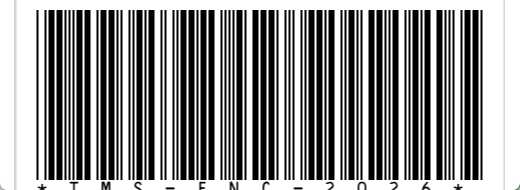
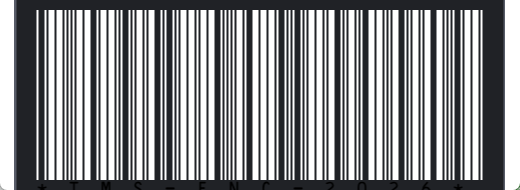
Set BarColor and BackgroundColor to theme the barcode, and IncludeText to
show or hide the human-readable text beneath the bars. TextSize,
HorizontalTextAlign, and VerticalTextAlign position and size that caption,
while IncludeCheck / IncludeCheckInText control the check digit. This example
selects a symbology and applies the common appearance options.
procedure TForm1.StyledBarcode(const AData: string);
begin
  FBarcode.BarcodeType := bciCode39;
  FBarcode.Text := AData;

  // Appearance: bar/background colors, scale factor, and the readable caption.
  FBarcode.BarColor := gcBlack;
  FBarcode.BackgroundColor := gcWhite;
  FBarcode.Scale := 2;
  FBarcode.IncludeText := True; // show the encoded text beneath the bars
end;
void __fastcall TForm1::StyledBarcode(const System::UnicodeString AData)
{
  FBarcode->BarcodeType = TTMSFNCWXBarcodeType::bciCode39;
  FBarcode->Text = AData;

  // Appearance: bar/background colors, scale factor, and the readable caption.
  FBarcode->BarColor = gcBlack;
  FBarcode->BackgroundColor = gcWhite;
  FBarcode->Scale = 2;
  FBarcode->IncludeText = true; // show the encoded text beneath the bars
}
Sizing and scale
Scale enlarges or shrinks the rendered barcode, and DefaultSize controls the
baseline dimensions. BarcodeBorder adds a quiet-zone border, and Inkspread
(with HorizontalInkspread / VerticalInkspread) fine-tunes bar thickness for
print fidelity. Increase Scale for high-DPI displays or print, and keep a border
so scanners can find the quiet zone.
Pitfalls
- Keep enough contrast and quiet zone. Very light
BarColoror no border can make a barcode unscannable — keep dark bars on a light background. Dottyis for 2D codes. The dotted-module rendering applies to matrix symbologies; it has no effect on linear barcodes.- Scale for the output medium. A barcode that looks fine on screen may be too
small to scan in print — raise
Scalefor printed output.
See also
- Generating barcodes — choose a symbology and data.
- API reference — full class reference.