Dial and scale
TTMSFNCWidgetGauge lets you shape the dial's scale and the rings that frame it.
This chapter covers the division ticks, the arc span, and the concentric rings.
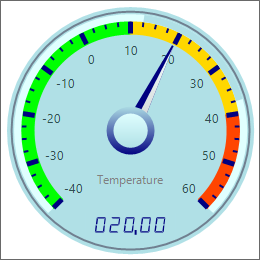
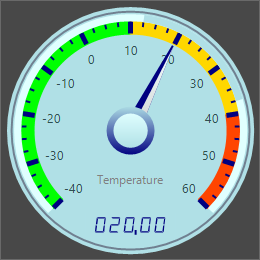
Divisions and ticks
DivisionCount sets the number of major ticks and SubDivisionCount the minor
ticks between them; DivisionColor/SubDivisionColor and
DivisionWidth/SubDivisionWidth style them. More divisions give a finer scale;
fewer give a cleaner face. This example sets the tick counts and themes the rings.
procedure TForm1.StyleGaugeScale;
begin
  // Major and minor tick counts and their colors/widths.
  FGauge.DivisionCount := 10;
  FGauge.SubDivisionCount := 3;
  FGauge.DivisionColor := gcNavy;
  FGauge.SubDivisionColor := gcNavy;

  // Theme the concentric rings that frame the dial.
  FGauge.OuterCircle.Color := gcDarkslategray;
  FGauge.InnerCircle.Color := gcLightgray;
  FGauge.OuterRim.Color := gcLightgray;
  FGauge.Arc.Color := gcMedGray;
end;
void __fastcall TForm1::StyleGaugeScale()
{
  // Major and minor tick counts and their colors/widths.
  FGauge->DivisionCount = 10;
  FGauge->SubDivisionCount = 3;
  FGauge->DivisionColor = gcNavy;
  FGauge->SubDivisionColor = gcNavy;

  // Theme the concentric rings that frame the dial.
  FGauge->OuterCircle->Color = gcDarkslategray;
  FGauge->InnerCircle->Color = gcLightgray;
  FGauge->OuterRim->Color = gcLightgray;
  FGauge->Arc->Color = gcMedGray;
}
The arc span
CircleStartValue and CircleEndValue set the angular span of the dial in degrees
(default a full 0..360). Narrow the span for a classic part-circle dial — for
example a 270-degree sweep — so the scale fans across the top. Logarithmic (with
LogarithmicBase) switches the scale to logarithmic when your data spans orders of
magnitude.
The rings
The gauge is framed by concentric elements you can theme individually:
OuterCircle, InnerCircle, OuterRim, and the Arc (with its Threshold).
MarginOuter insets the whole dial. Combine a dark OuterCircle with a light
InnerCircle for a classic instrument look, as the demo does.
Pitfalls
- Keep
SubDivisionCountmodest. Too many minor ticks clutter a small gauge. - A narrow arc span needs a matching layout. A part-circle dial leaves empty space below — size the control to suit.
Logarithmicchanges tick spacing. Verify the scale still reads correctly for your range before shipping it.
See also
- Showing a value — range, value, and readout.
- Sections and needles — colored bands and extra needles.
- API reference — full class reference.