Styling the spinner
The spinner's look comes from the rotating segments and the ring they travel on. This chapter covers the animation (speed and segment trail) and the ring geometry and colors.
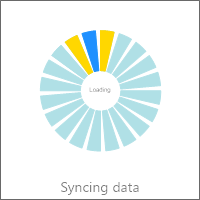
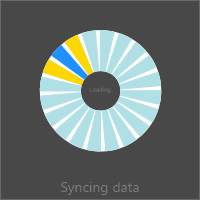
Speed and segments
MarqueeAnimation shapes the motion. Interval is the timer interval in
milliseconds — a lower value spins faster. SectionCount sets how many segments
form the rotating "comet" trail, and SectionGapAngle the gap between them.
MarqueeAnimation.Fill colors the lead segments and SideFill the fading tail
(both are fill objects, so set their .Color). This example starts the animation
and tunes its speed, trail, color, and ring thickness together.
procedure TForm1.StyleSpinner;
begin
  FSpinner.MarqueeAnimation.Active := True;
  FSpinner.MarqueeAnimation.Interval := 1;      // timer interval; lower spins faster
  FSpinner.MarqueeAnimation.SectionCount := 20; // number of trailing segments in the comet
  FSpinner.MarqueeAnimation.Fill.Color := gcDodgerblue; // Fill is an object - set its Color

  FSpinner.CircleOptions.Thickness := 24; // ring thickness
end;
void __fastcall TForm1::StyleSpinner()
{
  FSpinner->MarqueeAnimation->Active = true;
  FSpinner->MarqueeAnimation->Interval = 1;      // timer interval; lower spins faster
  FSpinner->MarqueeAnimation->SectionCount = 20; // number of trailing segments in the comet
  FSpinner->MarqueeAnimation->Fill->Color = gcDodgerblue; // Fill is an object - set its Color

  FSpinner->CircleOptions->Thickness = 24; // ring thickness
}
The ring
CircleOptions shapes the ring the segments travel: Thickness sets the ring
width, Margin insets it, and Fill/UnfinishedFill color the track behind the
moving segments. Fill and Border on the widget theme the surface. A thinner
ring with a bright MarqueeAnimation.Fill reads as a modern spinner; a thick ring
with a subtle track reads as a classic loader.
Pitfalls
Intervalis a delay, not a speed. Smaller is faster; very small values spin quickly but cost more repaints.- Color properties are fill objects. Use
MarqueeAnimation.Fill.Color := …, notMarqueeAnimation.Fill := …(the latter is a type error). - Too many segments blur the motion. Keep
SectionCountmoderate so the rotation stays legible.
See also
- Showing a spinner — start the animation and label it.
- API reference — full class reference.