Showing a spinner
TTMSFNCWidgetMarqueeContinuousProgress is an indeterminate progress spinner:
a ring of segments rotates continuously to signal that work is happening without
showing a specific percentage. Reach for it when you cannot measure progress —
a network call, a sync, a background load. You start the animation, optionally
add a status caption, and let it spin. This chapter covers starting the spinner
and labelling it.
Starting the animation
The spinner is driven by MarqueeAnimation. Set MarqueeAnimation.Active := True
to begin the continuous rotation and False to stop it. Unlike the determinate
widgets there is no Value — the spinner conveys "busy", not a quantity. Toggle
Active around the work it represents (start before, stop after).
procedure TForm1.SetupSpinner;
begin
  FSpinner := TTMSFNCWidgetMarqueeContinuousProgress.Create(Self);
  FSpinner.Parent := Self;
  FSpinner.SetBounds(20, 20, 200, 200);

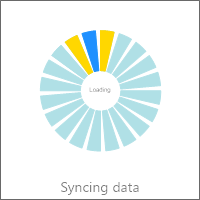
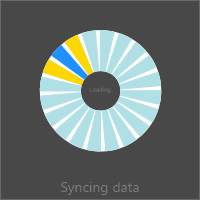
  FSpinner.CenterText := 'Loading';
  FSpinner.CaptionOptions.Text := 'Syncing data';
  FSpinner.MarqueeAnimation.Active := True; // begins the continuous rotation
end;
void __fastcall TForm1::SetupSpinner()
{
  FSpinner = new TTMSFNCWidgetMarqueeContinuousProgress(this);
  FSpinner->Parent = this;
  FSpinner->SetBounds(20, 20, 200, 200);

  FSpinner->CenterText = "Loading";
  FSpinner->CaptionOptions->Text = "Syncing data";
  FSpinner->MarqueeAnimation->Active = true; // begins the continuous rotation
}
Center text and caption
CenterText shows a short status word in the middle of the ring (for example
Loading), styled by CenterTextFont. CaptionOptions.Text adds a label with
the widget. Keep both short — the spinner is a glanceable busy indicator, not a
log.
Pitfalls
- There is no
Value. This widget is indeterminate by design; use Widget Progress or Widget Marquee Progress when you have a measurable percentage. - Stop the animation when done. Leaving
MarqueeAnimation.Active := Trueafter the work finishes keeps a timer running and the ring spinning. - Keep center text brief. Long text crowds the ring; prefer a one-word status.
See also
- Styling the spinner — speed, segments, color, and thickness.
- API reference — full class reference.