Loading and saving HTML
The editor exchanges content as HTML. Reach for this chapter whenever you need to seed the editor with existing markup, persist what the user typed, round-trip content through a file or stream, or read the content back as either HTML or tag-free plain text. Because every value is HTML, the same content moves cleanly between the editor, a database column, a file on disk, and any other HTML-aware surface in your application.
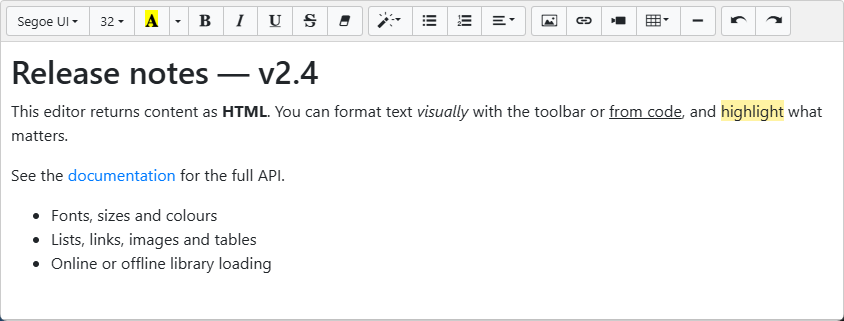
The HTML property is a TStrings
The central property is HTML, declared as a TStrings. That choice is deliberate: it gives you the full TStrings API for free — assign markup through HTML.Text, append lines with HTML.Add, or load and save through HTML.LoadFromFile / HTML.SaveToFile.
Important
HTML is a TStrings, not a string. Assign content with HTMLMemo1.HTML.Text := '<p>…</p>' and read it with HTMLMemo1.HTML.Text. A direct HTMLMemo1.HTML := '…' does not compile.
Loading and saving content
You have three complementary ways to load content, depending on where it comes from and how you want line breaks handled:
HTML.Text := <markup>— the simplest path for markup you already hold in a string.HTML.LoadFromFile(<path>)— theTStringsfile loader, ideal for.htmlfiles on disk.LoadHtmlContent— use this when the source is plain or semi-structured text and you want control over conversion.AReplaceWithHTMLLinebreak(defaultTrue) turns newlines into<br>tags;AReplaceBackSlash(defaultFalse) escapes back-slashes.
When you load a full HTML document (one with <html>/<body> tags), LoadFromHTMLFile and LoadFromHTMLStream extract just the body markup so the editor shows the content rather than the document scaffolding.
On the way out, SaveAsHTMLFile and SaveAsHTMLStream write a complete HTML document, optionally with a specific TEncoding. If you only want the raw markup the user edited, use HTML.Text or HTML.SaveToFile instead. The read-only PlainText property returns the same content with all tags removed — handy for previews, search indexing, or character counts. The snippet below shows both directions together:
procedure TForm1.LoadContent;
begin
  { Three ways to load content into the editor. }

  { 1. Assign markup directly to the HTML TStrings. }
  TMSFNCWXHTMLMemo1.HTML.Text := '<p>Hello <strong>world</strong></p>';

  { 2. Load from a file through the TStrings helper. }
  TMSFNCWXHTMLMemo1.HTML.LoadFromFile('content.html');

  { 3. Use LoadHtmlContent when you want control over line-break handling.
       AReplaceWithHTMLLinebreak converts newlines to <br>; the default is True. }
  TMSFNCWXHTMLMemo1.LoadHtmlContent('Line one' + sLineBreak + 'Line two',
    True);
end;

procedure TForm1.SaveContent;
begin
  { Write the current markup to a file. SaveAsHTMLFile wraps the body in a
    complete HTML document; HTML.SaveToFile writes the raw markup only. }
  TMSFNCWXHTMLMemo1.SaveAsHTMLFile('export.html');

  { Read the markup or the tag-free plain text without saving. }
  Memo1.Lines.Text := TMSFNCWXHTMLMemo1.HTML.Text;
  ShowMessage(TMSFNCWXHTMLMemo1.PlainText);

  { Mark the content as unchanged after a successful save. }
  TMSFNCWXHTMLMemo1.Modified := False;
end;
void __fastcall TForm1::LoadContent()
{
  // Three ways to load content into the editor.

  // 1. Assign markup directly to the HTML TStrings.
  TMSFNCWXHTMLMemo1->HTML->Text = "<p>Hello <strong>world</strong></p>";

  // 2. Load from a file through the TStrings helper.
  TMSFNCWXHTMLMemo1->HTML->LoadFromFile("content.html");

  // 3. Use LoadHtmlContent when you want control over line-break handling.
  //    AReplaceWithHTMLLinebreak converts newlines to <br>; the default is true.
  TMSFNCWXHTMLMemo1->LoadHtmlContent(System::UnicodeString("Line one") + sLineBreak + "Line two",
    true);
}

void __fastcall TForm1::SaveContent()
{
  // Write the current markup to a file. SaveAsHTMLFile wraps the body in a
  // complete HTML document; HTML->SaveToFile writes the raw markup only.
  TMSFNCWXHTMLMemo1->SaveAsHTMLFile("export.html");

  // Read the markup or the tag-free plain text without saving.
  Memo1->Lines->Text = TMSFNCWXHTMLMemo1->HTML->Text;
  ShowMessage(TMSFNCWXHTMLMemo1->PlainText);

  // Mark the content as unchanged after a successful save.
  TMSFNCWXHTMLMemo1->Modified = false;
}
The Modified flag
The Modified property is True after the user changes the content and False after a load. Set it back to False once you have persisted the content so you can prompt the user only when there are genuine unsaved changes.
Pitfalls
- Assigning a string to
HTMLdirectly.HTMLis aTStrings; always go throughHTML.Text. - Loading before the editor is ready. The editor initializes asynchronously. Assign content from
OnInit(or after it has fired) rather than immediately after creating the control at run time, or the content may be discarded before the editor finishes loading. LoadFromHTMLFileis not available on the WEB framework. It is wrapped out forWEBLIB; useLoadFromHTMLStreamorHTML.Textin web applications.
See also
- Programmatic formatting — change the loaded content from code.
- Events — react to content changes as the user types.
TTMSFNCWXHTMLMemoAPI reference