TMS FNC Blox ToolBar
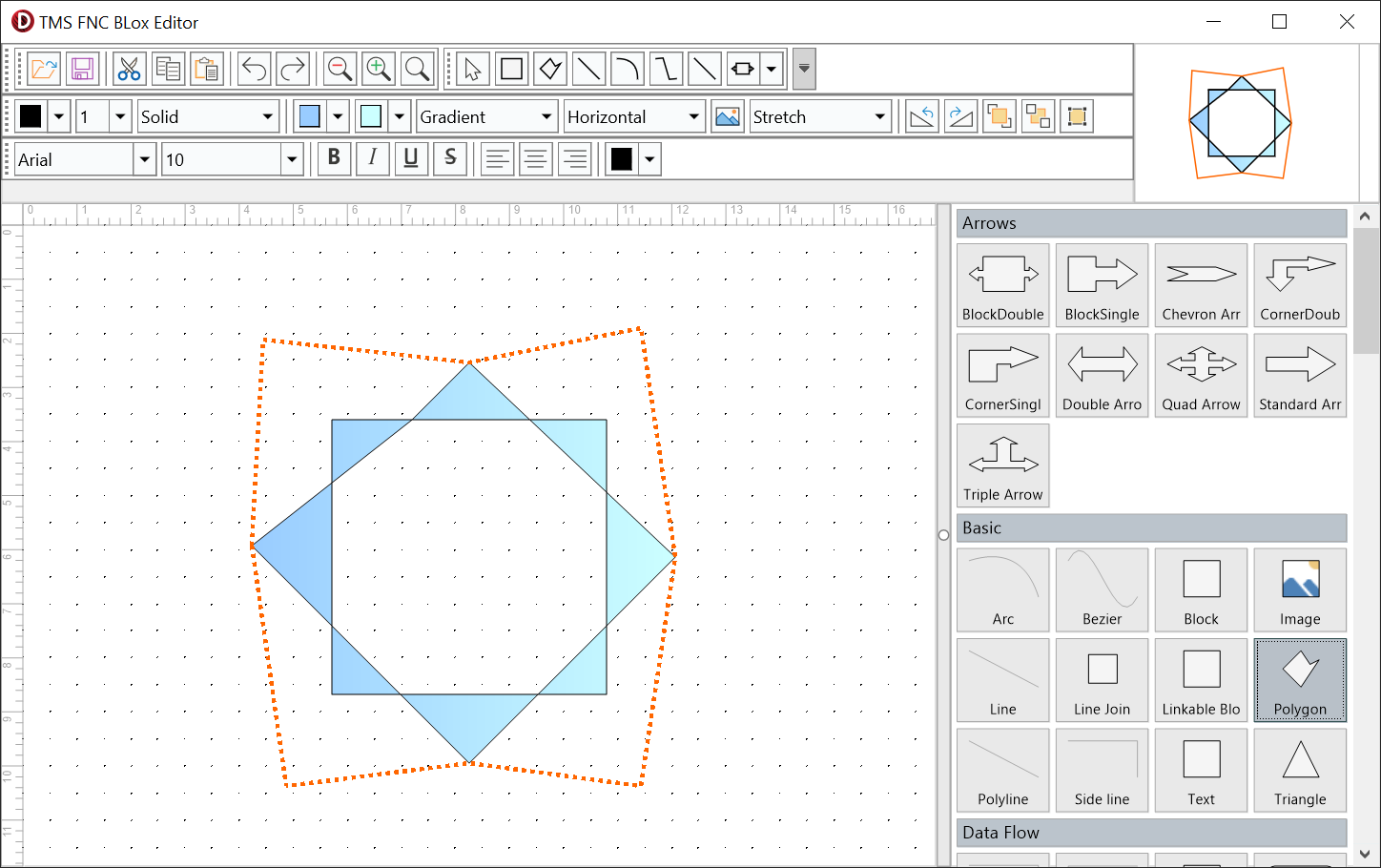
TMS FNC Blox ToolBar provides a context toolbar and four focused toolbars for adding an editing interface around TTMSFNCBloxControl. Use the focused toolbars when you want a conventional editor layout, or use TTMSFNCBloxToolBar when you want popup editing panels close to the selected diagram element.
Documentation
| Start here | Use when |
|---|---|
| Get started | You want working toolbars linked to a Blox Control in a few steps. |
| Guides | You want to choose commands, integrate file actions, format elements, or customize individual controls. |
| API reference | You need the exact properties, methods, events, and event signatures. |
Supported frameworks and dependencies
The toolbar unit family is available for FireMonkey, VCL, and TMS WEB Core. The toolbar bridge also depends on TMS FNC UI Pack; install the matching bridge package before placing toolbar components on a form.
Minimal setup
procedure TForm1.FormCreate(Sender: TObject);
begin
  BloxEditToolBar1.BloxControl := BloxControl1;
  BloxFormatBlockToolBar1.BloxControl := BloxControl1;
  BloxFormatBlockTextToolBar1.BloxControl := BloxControl1;
end;
void __fastcall TForm1::FormCreate(TObject *Sender)
{
  BloxEditToolBar1->BloxControl = BloxControl1;
  BloxFormatBlockToolBar1->BloxControl = BloxControl1;
  BloxFormatBlockTextToolBar1->BloxControl = BloxControl1;
}
API map
| Role | Classes | Use for |
|---|---|---|
| Context toolbar | TTMSFNCBloxToolBar, TTMSFNCBloxCustomToolBar |
Popup editing panels, default command groups, and apply/command events. |
| Editing commands | TTMSFNCBloxEditToolBar |
Open/save integration, clipboard operations, undo/redo, and zoom. |
| Block formatting | TTMSFNCBloxFormatBlockToolBar |
Stroke, fill, image, rotation, z-order, and snap-to-grid commands. |
| Text formatting | TTMSFNCBloxFormatBlockTextToolBar |
Font, style, alignment, and text-color commands. |
| Element selection | TTMSFNCBloxSelectToolBar |
Selection mode and insertion of built-in or registered elements. |
| Custom controls | TTMSFNCBloxToolBarButton, TTMSFNCBloxToolBarElementPicker |
Custom insertion buttons and access to the registered-element picker. |
Guide areas
- Choose and combine toolbar command groups
- Integrate file, clipboard, history, and zoom commands
- Format blocks and text
- Select and insert elements
- Customize toolbar controls