TMS FNC Blox Control
TTMSFNCBloxControl is the main cross-platform diagramming and flowcharting
control. It hosts a canvas on which blocks, lines, groups, and other diagram
elements are created, edited, connected, and persisted. The control handles
hit-testing, selection, in-place editing, zoom, and serialization, and works
across FMX, VCL, and WEB targets.
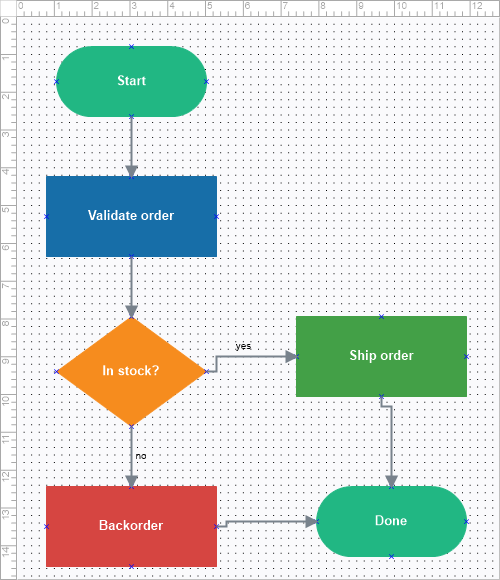
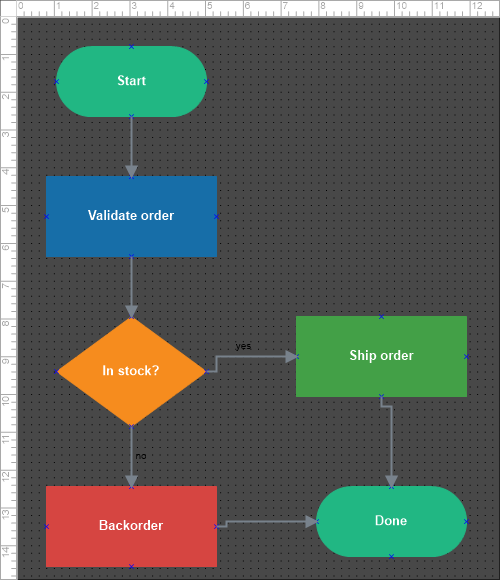
Documentation
| Start here | Use when |
|---|---|
| Get started | You want a working diagram with blocks and connectors in a few steps. |
| Guides | You want task-oriented chapters: elements, blocks, lines, appearance, interaction, persistence, custom elements, and events. |
| API reference | You want class, property, method, and event details. |
Supported frameworks
TTMSFNCBloxControl targets FMX (Windows, macOS, iOS, Android, Linux), VCL
(Windows), and WEB. It requires TMS FNC Core. The separate
Blox ToolBar additionally requires the TMS FNC UI
Pack.
Minimal example
procedure TForm1.AddBlockButtonClick(Sender: TObject);
var
  LBlock: TTMSFNCBloxBlock;
begin
  LBlock := TTMSFNCBloxBlock.Create;
  LBlock.Left := 40;
  LBlock.Top := 40;
  LBlock.Width := 160;
  LBlock.Height := 80;
  LBlock.Shape := RoundRect;
  LBlock.Text := 'Hello Blox';
  LBlock.FillColor := MakeGraphicsColor(74, 144, 217);
  LBlock.TextColor := gcWhite;
  BloxControl1.Blox.Add(LBlock);
end;
void __fastcall TForm1::AddBlockButtonClick(TObject *Sender)
{
  TTMSFNCBloxBlock *LBlock = new TTMSFNCBloxBlock();
  LBlock->Left = 40;
  LBlock->Top = 40;
  LBlock->Width = 160;
  LBlock->Height = 80;
  LBlock->Shape = Fmx::Tmsfncbloxcoreblock::RoundRect;
  LBlock->Text = "Hello Blox";
  LBlock->FillColor = MakeGraphicsColor(74, 144, 217);
  LBlock->TextColor = gcWhite;
  BloxControl1->Blox->Add(LBlock);
}
API map
The diagram surface is built from a small set of cooperating classes:
| Role | Classes |
|---|---|
| Main control | TTMSFNCBloxControl |
| Document | TTMSFNCBloxXBlox — owns the element collection |
| Element base | TTMSFNCBloxElement |
| Blocks | TTMSFNCBloxBlock (rectangles, text, images, triangles, groups, linkable, library shapes) |
| Lines | TTMSFNCBloxLine (straight, arc, bezier, side-line) |
| Appearance | TTMSFNCBloxFill, TTMSFNCBloxStroke, TTMSFNCBloxFont, TTMSFNCBloxShadow |
Guides
| Chapter | Covers |
|---|---|
| Elements and libraries | Element model, the Blox collection, built-in block/line libraries. |
| Working with blocks | Geometry, shapes, text, pictures, rotation, link points. |
| Lines and linking | Line styles, arrows, connecting blocks, line text. |
| Appearance | Fill, stroke, shadow, font; canvas, snap grid, rulers. |
| Interaction and editing | States, inserting, options, clipboard, undo/redo, grouping, zoom. |
| Persistence and export | Save/load files and streams, export to image. |
| Custom elements | Custom block shapes, link points, registration. |
| Events | Selection, modification, rendering, and editor events. |