Interaction and editing
The blox control is interactive: end users select, move, resize, rotate, connect, and delete elements, and you drive editing commands from code through the presenter. This chapter explains the editing states, how to insert elements programmatically, the interaction options that constrain editing, and the command set (selection, clipboard, undo/redo, grouping, z-order, panning, and zoom).
Editing states
TTMSFNCBloxControl implements the concept of a state that decides what a user
gesture does:
- Browsing — select, move, resize, rotate (the default).
- Inserting — the next click inserts a new element.
- Panning — dragging scrolls the diagram.
You switch states through the Presenter. The control returns to browsing when
an action completes (or when you cancel it).
Inserting elements programmatically
Presenter.StartInsertingElement puts the control in insert mode. It has three
overloads — by element instance, by element class, or by registered element
id. The AKeepInserting parameter keeps the control in insert mode so the
user can place several copies; CancelInsertingBlock returns to browsing.
procedure TForm1.InsertActionBlockClick(Sender: TObject);
begin
  { The next clicks on the canvas insert action blocks until cancelled. }
  BloxControl1.Presenter.StartInsertingElement(TTMSFNCBloxFlowActionBlock, True);
end;

procedure TForm1.InsertByIdClick(Sender: TObject);
begin
  { Or insert a single element identified by its registered id. }
  BloxControl1.Presenter.StartInsertingElement('TTMSFNCBloxTextBlock');
end;

procedure TForm1.CancelInsertClick(Sender: TObject);
begin
  BloxControl1.Presenter.CancelInsertingBlock;
end;
void __fastcall TForm1::InsertActionBlockClick(TObject *Sender)
{
  // The next clicks on the canvas insert action blocks until cancelled.
  BloxControl1->Presenter->StartInsertingElement(__classid(Fmx::Tmsfncbloxshapesflowchart::TTMSFNCBloxFlowActionBlock), true);
}

void __fastcall TForm1::InsertByIdClick(TObject *Sender)
{
  // Or insert a single element identified by its registered id.
  BloxControl1->Presenter->StartInsertingElement("TTMSFNCBloxTextBlock");
}

void __fastcall TForm1::CancelInsertClick(TObject *Sender)
{
  BloxControl1->Presenter->CancelInsertingBlock();
}
Interaction options
Interaction (TTMSFNCBloxInteraction) constrains what users may do:
| Member | Effect |
|---|---|
ReadOnly |
Disables all editing — view-only. |
SelectionMode |
slmMultiple (per-object handles) or slmGroup (Visio-style group handles). |
KeyActions |
Which keyboard actions are enabled (kaMove, kaResize, kaDelete, kaSelect, kaPage, kaEscape). |
CanMoveOutOfBounds |
Whether blocks may move outside the control bounds. |
TouchElementHandling |
Enables touch panning/zooming on mobile. |
Zooming |
Enables zoom via mouse, keyboard, or touch. |
ChangeTextWithDoubleClick |
Whether a double-click starts in-place text editing. |
procedure TForm1.ConfigureInteraction;
begin
  BloxControl1.Interaction.SelectionMode := slmGroup;
  BloxControl1.Interaction.CanMoveOutOfBounds := False;
  BloxControl1.Interaction.ChangeTextWithDoubleClick := True;
  BloxControl1.Interaction.Zooming := True;
  BloxControl1.Interaction.KeyActions := [kaEscape, kaMove, kaResize, kaSelect, kaDelete];
end;

procedure TForm1.SetViewOnly(AReadOnly: Boolean);
begin
  { Disable all interactive editing for a view-only diagram. }
  BloxControl1.Interaction.ReadOnly := AReadOnly;
end;
void __fastcall TForm1::ConfigureInteraction()
{
  BloxControl1->Interaction->SelectionMode = Fmx::Tmsfncbloxuiuserpresenter::slmGroup;
  BloxControl1->Interaction->CanMoveOutOfBounds = false;
  BloxControl1->Interaction->ChangeTextWithDoubleClick = true;
  BloxControl1->Interaction->Zooming = true;
  BloxControl1->Interaction->KeyActions = Fmx::Tmsfncbloxuiuserpresenter::TTMSFNCBloxKeyActions() << Fmx::Tmsfncbloxuiuserpresenter::kaEscape << Fmx::Tmsfncbloxuiuserpresenter::kaMove << Fmx::Tmsfncbloxuiuserpresenter::kaResize << Fmx::Tmsfncbloxuiuserpresenter::kaSelect << Fmx::Tmsfncbloxuiuserpresenter::kaDelete;
}

void __fastcall TForm1::SetViewOnly(bool AReadOnly)
{
  // Disable all interactive editing for a view-only diagram.
  BloxControl1->Interaction->ReadOnly = AReadOnly;
}
Editing commands
The presenter exposes the full command set. Selection: SelectAll,
UnselectAll, DeleteSelecteds. Clipboard: CopyElementsToClipboard,
PasteElementsFromClipboard, guarded by CanPaste. History: Undo, Redo,
guarded by CanUndo / CanRedo. Grouping: GroupSelectedBlocks,
UngroupSelectedBlocks. Z-order: BringSelectedsToFront, SendSelectedsToBack.
Grouping and resize tracking
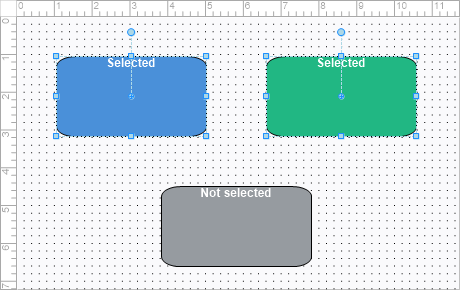
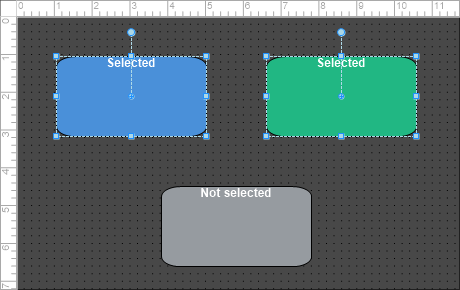
Grouping turns a multi-element selection into one TTMSFNCBloxGroup that moves
and resizes as a unit. Interaction.SelectionMode decides how the group is then
manipulated: slmGroup gives the group a single Visio-style handle set, while
slmMultiple keeps per-element handles inside it. GroupSelectedBlocks returns
the new group, or nil when there was nothing to group.
Membership is readable from any element. IsGroup identifies a group element,
IsMember a grouped one, GroupBlock is the immediate parent group, and
MasterGroup is the outermost one — so nesting is visible by comparing the two.
Both are nil for a standalone element.
Resizing reports through two events with different costs. OnElementResizing
fires repeatedly during the drag, so keep the handler cheap. OnAfterResize
fires once when the gesture completes — and the presenter raises it before
it calls Modified and before it pushes the 'resize' entry onto the undo
stack, so state read there is the committed size but the undo entry does not
exist yet.
procedure TForm1.GroupSelection;
var
  LGroup: FMX.TMSFNCBloxCoreGroup.TTMSFNCBloxGroup;
begin
  { Group handles behave Visio-style; slmMultiple keeps per-element handles. }
  BloxControl1.Interaction.SelectionMode := slmGroup;

  if BloxControl1.Presenter.SelectedCount > 1 then
  begin
    LGroup := BloxControl1.Presenter.GroupSelectedBlocks;
    if Assigned(LGroup) then
      Caption := 'Grouped ' + IntToStr(BloxControl1.Presenter.SelectedCount) +
        ' element(s)';
  end;
end;

procedure TForm1.UngroupSelection;
begin
  BloxControl1.Presenter.UngroupSelectedBlocks;
end;

function TForm1.DescribeMembership(AElement: TTMSFNCBloxElement): string;
begin
  { GroupBlock is the immediate parent group and is nil for an ungrouped
    element - and also for the outermost group itself. MasterGroup is the
    outermost group, which for that top-level group is the group itself. }
  if AElement.IsGroup then
    Result := 'group'
  else if AElement.IsMember then
  begin
    Result := 'member';
    if Assigned(AElement.GroupBlock) then
      Result := Result + ' of ' + AElement.GroupBlock.ElementId;
    if Assigned(AElement.MasterGroup) and
       (AElement.MasterGroup <> AElement.GroupBlock) then
      Result := Result + ' nested under ' + AElement.MasterGroup.ElementId;
  end
  else
    Result := 'standalone';
end;

procedure TForm1.BloxControlElementResizing(Sender: TObject;
  Element: TTMSFNCBloxElement; X, Y: Single);
begin
  { Fires repeatedly while a size handle is dragged - cheap work only. }
  StatusLabel.Text := Format('%s %.0f x %.0f', [DescribeMembership(Element), X, Y]);
end;

procedure TForm1.BloxControlAfterResize(Sender: TObject);
begin
  { Fires once when the gesture completes, BEFORE OnModified and before the
    'resize' entry reaches the undo stack. }
  StatusLabel.Text := 'Resize committed';
end;

procedure TForm1.WireResizeTracking;
begin
  { Shift + arrow resizing needs kaResize in KeyActions (present by default). }
  BloxControl1.Interaction.KeyActions :=
    BloxControl1.Interaction.KeyActions + [kaResize];

  BloxControl1.OnElementResizing := BloxControlElementResizing;
  BloxControl1.OnAfterResize := BloxControlAfterResize;
end;
void __fastcall TForm1::GroupSelection()
{
  // Group handles behave Visio-style; slmMultiple keeps per-element handles.
  BloxControl1->Interaction->SelectionMode = Fmx::Tmsfncbloxuiuserpresenter::slmGroup;

  if (BloxControl1->Presenter->SelectedCount() > 1)
  {
    Fmx::Tmsfncbloxcoregroup::TTMSFNCBloxGroup *LGroup = BloxControl1->Presenter->GroupSelectedBlocks();
    if (LGroup != nullptr)
      Caption = "Grouped " + IntToStr(BloxControl1->Presenter->SelectedCount()) +
        " element(s)";
  }
}

void __fastcall TForm1::UngroupSelection()
{
  BloxControl1->Presenter->UngroupSelectedBlocks();
}

System::UnicodeString __fastcall TForm1::DescribeMembership(TTMSFNCBloxElement *AElement)
{
  // GroupBlock is the immediate parent group and is nullptr for an ungrouped
  // element - and also for the outermost group itself. MasterGroup is the
  // outermost group, which for that top-level group is the group itself.
  System::UnicodeString Result;
  if (AElement->IsGroup)
    Result = "group";
  else if (AElement->IsMember)
  {
    Result = "member";
    if (AElement->GroupBlock != nullptr)
      Result = Result + " of " + AElement->GroupBlock->ElementId;
    if ((AElement->MasterGroup != nullptr) &&
        (AElement->MasterGroup != AElement->GroupBlock))
      Result = Result + " nested under " + AElement->MasterGroup->ElementId;
  }
  else
    Result = "standalone";
  return Result;
}

void __fastcall TForm1::BloxControlElementResizing(TObject *Sender,
  TTMSFNCBloxElement *Element, float X, float Y)
{
  // Fires repeatedly while a size handle is dragged - cheap work only.
  StatusLabel->Text = Format("%s %.0f x %.0f",
    ARRAYOFCONST((DescribeMembership(Element), (Extended)X, (Extended)Y)));
}

void __fastcall TForm1::BloxControlAfterResize(TObject *Sender)
{
  // Fires once when the gesture completes, BEFORE OnModified and before the
  // 'resize' entry reaches the undo stack.
  StatusLabel->Text = "Resize committed";
}

void __fastcall TForm1::WireResizeTracking()
{
  // Shift + arrow resizing needs kaResize in KeyActions (present by default).
  BloxControl1->Interaction->KeyActions =
    BloxControl1->Interaction->KeyActions << Fmx::Tmsfncbloxuiuserpresenter::kaResize;

  BloxControl1->OnElementResizing = BloxControlElementResizing;
  BloxControl1->OnAfterResize = BloxControlAfterResize;
}
Shift with the arrow keys resizes the selection when kaResize is in
Interaction.KeyActions, which it is by default.
Putting it together
This handler set wires a toolbar of edit commands, enabling each only when valid — combining selection, clipboard, history, grouping, and z-order in one place:
procedure TForm1.CopyClick(Sender: TObject);
begin
  BloxControl1.Presenter.CopyElementsToClipboard;
end;

procedure TForm1.PasteClick(Sender: TObject);
begin
  if BloxControl1.Presenter.CanPaste then
    BloxControl1.Presenter.PasteElementsFromClipboard;
end;

procedure TForm1.GroupClick(Sender: TObject);
begin
  BloxControl1.Presenter.GroupSelectedBlocks;
end;

procedure TForm1.BringToFrontClick(Sender: TObject);
begin
  BloxControl1.Presenter.BringSelectedsToFront;
end;

procedure TForm1.UpdateEditButtons;
begin
  { Reflect availability so buttons enable only when the action is valid. }
  UndoButton.Enabled := BloxControl1.Presenter.CanUndo;
  RedoButton.Enabled := BloxControl1.Presenter.CanRedo;
  PasteButton.Enabled := BloxControl1.Presenter.CanPaste;
end;

procedure TForm1.UndoClick(Sender: TObject);
begin
  if BloxControl1.Presenter.CanUndo then
    BloxControl1.Presenter.Undo;
end;

procedure TForm1.DeleteClick(Sender: TObject);
begin
  BloxControl1.Presenter.DeleteSelecteds;
end;
void __fastcall TForm1::CopyClick(TObject *Sender)
{
  BloxControl1->Presenter->CopyElementsToClipboard();
}

void __fastcall TForm1::PasteClick(TObject *Sender)
{
  if (BloxControl1->Presenter->CanPaste())
    BloxControl1->Presenter->PasteElementsFromClipboard();
}

void __fastcall TForm1::GroupClick(TObject *Sender)
{
  BloxControl1->Presenter->GroupSelectedBlocks();
}

void __fastcall TForm1::BringToFrontClick(TObject *Sender)
{
  BloxControl1->Presenter->BringSelectedsToFront();
}

void __fastcall TForm1::UpdateEditButtons()
{
  // Reflect availability so buttons enable only when the action is valid.
  UndoButton->Enabled = BloxControl1->Presenter->CanUndo();
  RedoButton->Enabled = BloxControl1->Presenter->CanRedo();
  PasteButton->Enabled = BloxControl1->Presenter->CanPaste();
}

void __fastcall TForm1::UndoClick(TObject *Sender)
{
  if (BloxControl1->Presenter->CanUndo())
    BloxControl1->Presenter->Undo();
}

void __fastcall TForm1::DeleteClick(TObject *Sender)
{
  BloxControl1->Presenter->DeleteSelecteds();
}
Panning and zoom
Zoom is the Zoom property (1.0 = 100%); changing it re-scales the whole
diagram and raises OnZoomChanged. Presenter.StartPanning enters panning mode,
and CancelPanning returns to browsing. Presenter.ClientToCanvas /
CanvasToClient convert between pixel and blox coordinates when you need to map a
mouse position.
procedure TForm1.ZoomInClick(Sender: TObject);
begin
  BloxControl1.Zoom := BloxControl1.Zoom * 1.25;   { 1.0 = 100% }
end;

procedure TForm1.ResetZoomClick(Sender: TObject);
begin
  BloxControl1.Zoom := 1.0;
end;

procedure TForm1.StartPanClick(Sender: TObject);
begin
  BloxControl1.Presenter.StartPanning;
end;

procedure TForm1.StopPanClick(Sender: TObject);
begin
  BloxControl1.Presenter.CancelPanning;
end;
void __fastcall TForm1::ZoomInClick(TObject *Sender)
{
  BloxControl1->Zoom = BloxControl1->Zoom * 1.25;   // 1.0 = 100%
}

void __fastcall TForm1::ResetZoomClick(TObject *Sender)
{
  BloxControl1->Zoom = 1.0;
}

void __fastcall TForm1::StartPanClick(TObject *Sender)
{
  BloxControl1->Presenter->StartPanning();
}

void __fastcall TForm1::StopPanClick(TObject *Sender)
{
  BloxControl1->Presenter->CancelPanning();
}
Pitfalls
ReadOnlydisables programmatic insertion paths that rely on user gestures too — drive the diagram throughBlox.Addwhen the control is read-only.- Guard clipboard and history commands. Call
CanPaste,CanUndo, andCanRedobefore the corresponding action so buttons reflect availability. Zoomworks in factor units, not percent. Use1.5for 150%, not150.
See also
- Elements and libraries · Events
- Blox ToolBar — ready-made editing toolbars
TTMSFNCBloxControl