Layout priority
Three layers of cell appearance — grid-wide, per-column, and per-cell — resolved in priority order. Plus an event for dynamic per-cell layout with the option to override the default precedence.
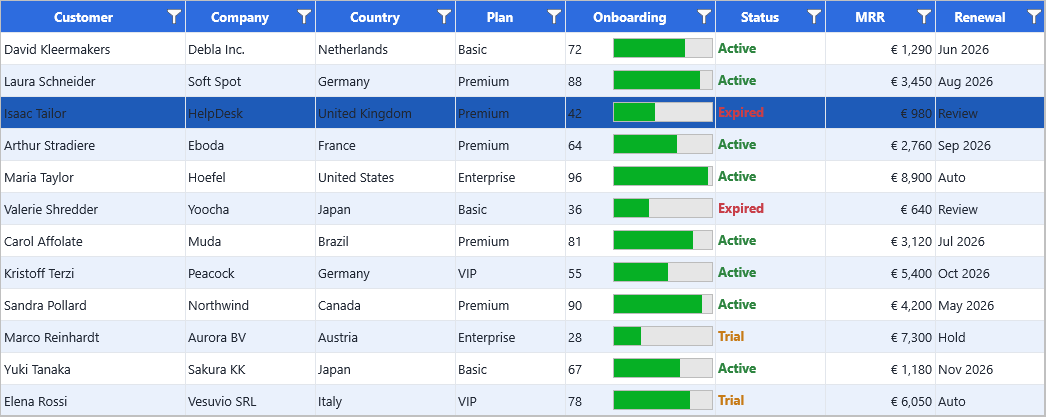
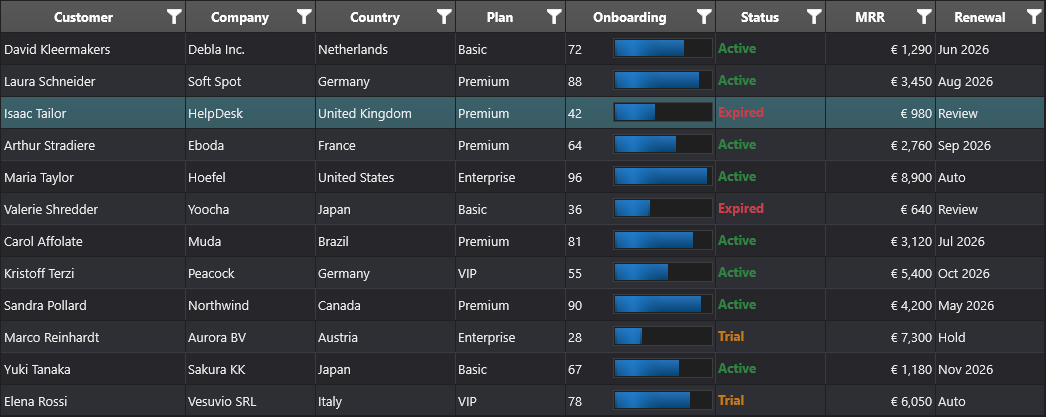
Static priority order
When the grid paints a cell, it picks the layout from the first source that has one:
┌─────────────────────────────────────────────────────────────┐
│ 1. Grid.Layouts[col, row]                                   │  highest
│    Per-cell layout, set explicitly with the indexed property│
├─────────────────────────────────────────────────────────────┤
│ 2. Grid.Columns[i].Appearance + AddSetting(gcsAppearance)   │
│    Per-column layout, owned by the column                   │
├─────────────────────────────────────────────────────────────┤
│ 3. Grid.CellAppearance.<state>Layout                        │  lowest
│    Grid-wide defaults, split by visual state (Normal,       │
│    Selected, Focused, Fixed, Group, Summary, Band, …)       │
└─────────────────────────────────────────────────────────────┘
So:
Grid.CellAppearance.NormalLayout.Fill.Color := gcWhite;     // (3) base
Grid.Columns[2].Appearance.NormalLayout.Fill.Color := gcLightYellow;
Grid.Columns[2].AddSetting(gcsAppearance);                  // (2) overrides for column 2
Grid.Layouts[2, 5].Fill.Color := gcRed;                     // (1) overrides for cell (2, 5)
For more on each layer, see Appearance & theming.
Visual states
Even within one layer, the grid picks one of several layouts based on the cell's visual state:
| Layout | When it applies |
|---|---|
NormalLayout |
Ordinary data cell. |
SelectedLayout |
Cell inside the current selection. |
FocusedLayout |
The single cell with keyboard focus. |
FixedLayout |
Header, footer, fixed columns. |
FixedSelectedLayout |
Highlighted header for the selected column/row. |
GroupLayout |
Group rows from Grid.Group(...). |
SummaryLayout |
Group summary footers. |
BandLayout |
Alternating-row background when banding is enabled. |
FilterMatchLayout |
Cells matching the active filter. |
State layouts are merged on top of the base layout — only the properties that differ from NormalLayout are applied.
Dynamic layout via OnGetCellLayout
For a layout that depends on cell content (red background only when status is overdue, bold font only on totals), use the event rather than mutating thousands of Layouts[col, row] entries:
procedure TForm1.GridGetCellLayout(Sender: TObject; ACell: TTMSFNCDataGridCell);
begin
  if (ACell.Column = StatusColumn) and SameText(ACell.Text, 'Overdue') then
    ACell.Layout.Fill.Color := gcMistyRose;
end;
void __fastcall TForm1::GridGetCellLayout(TObject *Sender, TTMSFNCDataGridCell *ACell)
{
  if ((ACell->Column == StatusColumn) && SameText(ACell->Text, "Overdue"))
    ACell->Layout->Fill->Color = gcMistyrose;
}
The event fires after the static priority resolution, so you can read ACell.Layout to see what the grid would otherwise render and tweak from there.
OnGetCellLayoutHasPriority — flipping precedence
By default, when both OnGetCellLayout and a stored per-cell Layouts[col, row] exist, the stored data wins. The reasoning: the user explicitly set a per-cell layout, so the event-driven default shouldn't override it.
To reverse this on a per-cell basis, return True from OnGetCellLayoutHasPriority:
procedure TForm1.GridGetCellLayoutHasPriority(Sender: TObject;
  ACell: TTMSFNCDataGridCellCoord; var AHasPriority: Boolean);
begin
  if ACell.Column = StatusColumn then
    AHasPriority := True;     // OnGetCellLayout wins for the status column
end;
void __fastcall TForm1::GridGetCellLayoutHasPriority(TObject *Sender,
  const TTMSFNCDataGridCellCoord &ACell, bool &AHasPriority)
{
  TTMSFNCDataGridCellCoord Cell = ACell;
  if (Cell.Column == StatusColumn)
    AHasPriority = true;     // OnGetCellLayout wins for the status column
}
This is how you wire up "this column always reflects state computed at paint time, even if someone has frozen a layout into a particular cell."
Performance note
Setting per-cell layouts (Grid.Layouts[col, row]) allocates a layout object per cell. For thousands of cells, prefer:
- A column-level layout if the rule applies to every cell in the column.
- An
OnGetCellLayouthandler if the rule depends on data — it allocates nothing and re-evaluates on every paint.
See Large datasets for more performance guidance.
See also
- Appearance & theming — the practical guide.
- Custom cells — when you need a different shape, not just a different colour.
- Architecture — drawing belongs to the renderer layer.