Interaction
Kanban interaction is centered on moving work safely without losing visual context. Drag and drop handles common board reordering, while explicit selection, column operations, and event handlers let an application enforce workflow rules or update surrounding detail panes. Keep user-facing actions small and reversible: validate a move in the drag events, use selection only for the item currently being edited, and reserve programmatic column changes for commands such as prioritizing, parking, or batch cleanup.
Drag and drop
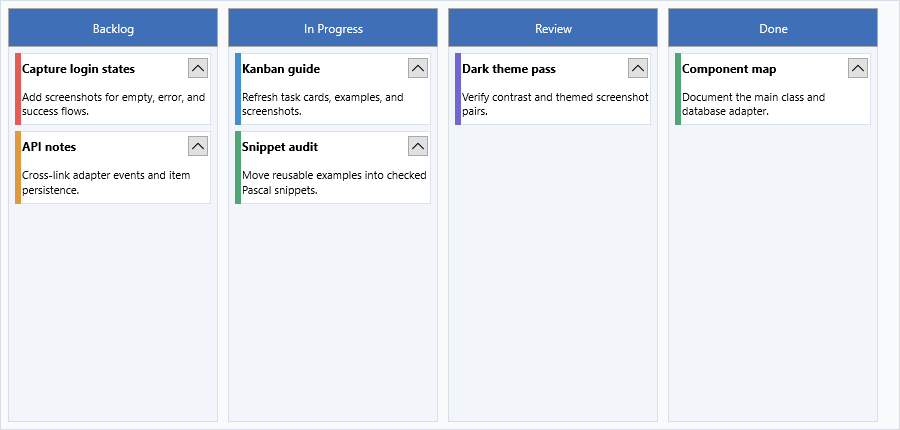
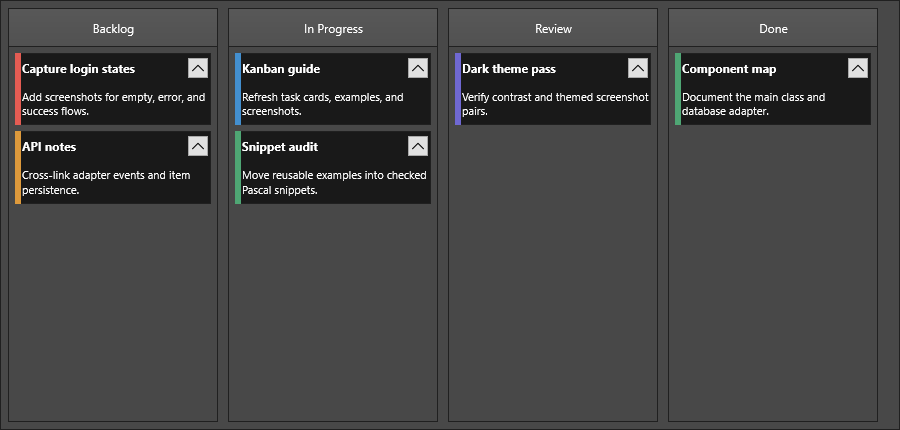
Interaction.DragDropMode controls whether items can be moved or copied between columns:
| Value | Description |
|---|---|
kbdmNone |
Drag and drop disabled |
kbdmMove |
Drag moves item to the target column |
kbdmCopy |
Drag copies item; original remains |
KanbanBoard1.Interaction.DragDropMode := kbdmMove;
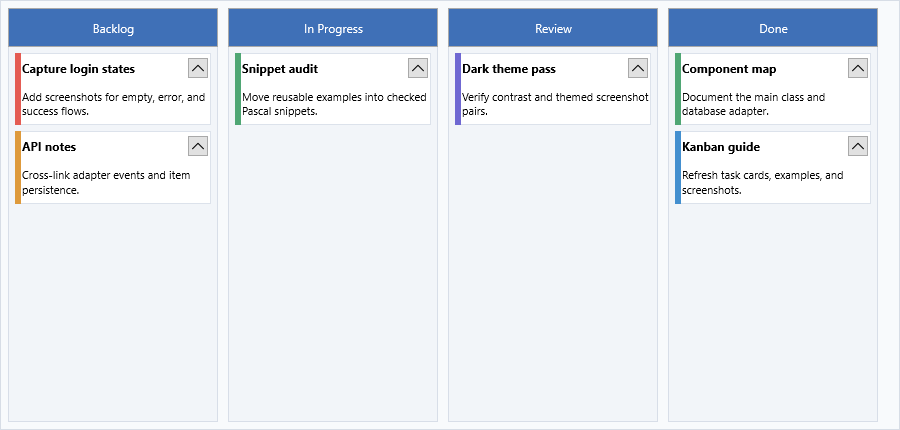
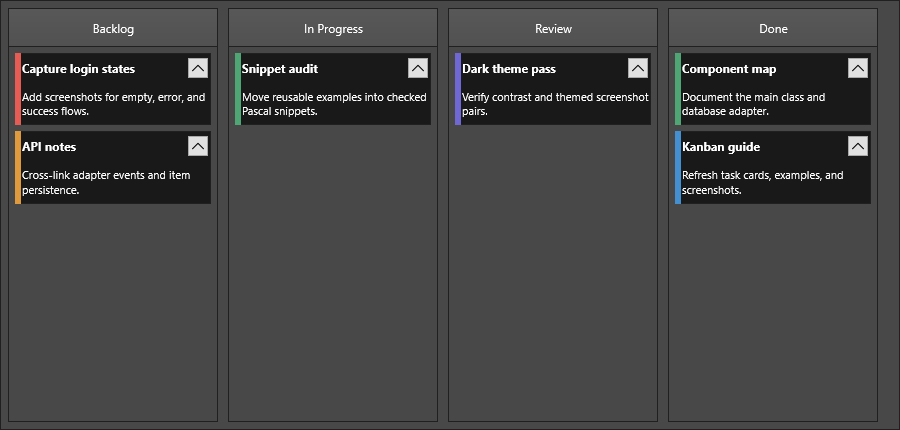
When DragDropMode is kbdmMove, the user can drag an item from one column and drop it into another. The item is removed from the source column and inserted at the drop position in the target column.
Editing
Enable editing the item text directly on the board:
KanbanBoard1.Interaction.Editing := True;
Interaction.MouseEditMode controls when editing starts:
| Value | Description |
|---|---|
kbemSingleClick |
Edit starts on the first click |
kbemDoubleClick |
Edit starts on the second click |
kbemSingleClickOnSelectedItem |
Single click starts editing only after the item is already selected |
KanbanBoard1.Interaction.MouseEditMode := kbemDoubleClick;
Interaction.KeyboardEdit enables starting editing via the keyboard (Enter or F2 on the focused item):
KanbanBoard1.Interaction.KeyboardEdit := True;
Programmatic edit control
// Start editing the selected item in a column
KanbanBoard1.Columns[0].StartEditMode;

// Stop editing
KanbanBoard1.Columns[0].StopEditMode;

// Toggle
KanbanBoard1.Columns[0].ToggleEditMode;
Multi-select
KanbanBoard1.Interaction.MultiSelect := True;
When MultiSelect is True, users can select multiple items in a column using Shift+Click or Ctrl+Click. Retrieve the selected set:
var selected := KanbanBoard1.Columns[0].GetSelectedItems;
SelectedItemCount returns the number of currently selected items in a column.
To clear a column's selection:
KanbanBoard1.Columns[0].ClearSelection;
Touch behavior
| Property | Default | Description |
|---|---|---|
TouchScrolling |
True |
Pan a column's item list by dragging with a finger |
SwipeBounceGesture |
True |
Elastic bounce when scrolling reaches the top or bottom of a column |
// Disable bounce on desktop
KanbanBoard1.Interaction.SwipeBounceGesture := False;
Hyperlinks
KanbanBoard1.Interaction.AutoOpenURL := True;
When AutoOpenURL is True, clicking a URL in item text automatically opens it in the default browser.
Handling events
Start with the item-level click events when you need to connect the board to an application detail pane or status area:
procedure TForm1.KanbanBoard1ItemClick(Sender: TObject;
  AColumn: TTMSFNCKanbanBoardColumn; AItem: TTMSFNCKanbanBoardItem);
begin
  StatusBar1.SimpleText :=
    Format('Clicked "%s" in column %s', [AItem.Title, AColumn.HeaderText]);
end;

procedure TForm1.KanbanBoard1ItemDblClick(Sender: TObject;
  AColumn: TTMSFNCKanbanBoardColumn; AItem: TTMSFNCKanbanBoardItem);
begin
  // Open a detail view for the double-clicked item.
  ShowItemDetails(AColumn, AItem);
end;
void __fastcall TForm1::KanbanBoard1ItemClick(TObject *Sender,
  TTMSFNCKanbanBoardColumn *AColumn, TTMSFNCKanbanBoardItem *AItem)
{
  StatusLabel->Text =
    Format("Clicked \"%s\" in column %s", ARRAYOFCONST((AItem->Title, AColumn->HeaderText)));
}

void __fastcall TForm1::KanbanBoard1ItemDblClick(TObject *Sender,
  TTMSFNCKanbanBoardColumn *AColumn, TTMSFNCKanbanBoardItem *AItem)
{
  // Open a detail view for the double-clicked item.
  ShowItemDetails(AColumn, AItem);
}
Click and double-click
Use OnItemClick and OnItemDblClick when you need to react to a plain click
or double-click on a card, independent of selection — for example, opening a
detail view on double-click while leaving single-click selection behavior
untouched. Both events pass the column and the item that was clicked, so a
single handler can be reused across every column on the board.
React to item selection with OnSelectItem:
procedure TForm1.KanbanBoard1SelectItem(Sender: TObject;
  AColumn: TTMSFNCKanbanBoardColumn; AItem: TTMSFNCKanbanBoardItem);
begin
  ShowMessage(AItem.Title + ' selected in column ' + AColumn.HeaderText);
end;

procedure TForm1.KanbanBoard1UpdateItemText(Sender: TObject;
  AColumn: TTMSFNCKanbanBoardColumn; AItem: TTMSFNCKanbanBoardItem;
  AText: String);
begin
  AItem.Text := AText;
end;
void __fastcall TForm1::KanbanBoard1SelectItem(TObject *Sender,
  TTMSFNCKanbanBoardColumn *AColumn, TTMSFNCKanbanBoardItem *AItem)
{
  ShowMessage(AItem->Title + " selected in column " + AColumn->HeaderText);
}

void __fastcall TForm1::KanbanBoard1UpdateItemText(TObject *Sender,
  TTMSFNCKanbanBoardColumn *AColumn, TTMSFNCKanbanBoardItem *AItem,
  System::UnicodeString AText)
{
  AItem->Text = AText;
}
The same event group is where you usually commit text changes after editing with OnUpdateItemText.
Cancelling and inspecting drops
OnBeforeDropItem lets you veto a drop by inspecting the source and target column or item. OnAfterDropItem fires once the move/copy has committed:
procedure TForm1.KanbanBoard1BeforeDropItem(Sender: TObject;
  AFromColumn, AToColumn: TTMSFNCKanbanBoardColumn;
  AFromItem, AToItem: TTMSFNCKanbanBoardItem;
  var ACanDrop: Boolean);
begin
  // Prevent moving items into a 'Done' column unless they have a title.
  if SameText(AToColumn.HeaderText, 'Done') and (AFromItem.Title = '') then
    ACanDrop := False;
end;

procedure TForm1.KanbanBoard1AfterDropItem(Sender: TObject;
  AFromColumn, AToColumn: TTMSFNCKanbanBoardColumn;
  AFromItem, AToItem: TTMSFNCKanbanBoardItem);
begin
  StatusBar1.SimpleText :=
    Format('Moved "%s" to %s', [AFromItem.Title, AToColumn.HeaderText]);
end;
void __fastcall TForm1::KanbanBoard1BeforeDropItem(TObject *Sender,
  TTMSFNCKanbanBoardColumn *AFromColumn, TTMSFNCKanbanBoardColumn *AToColumn,
  TTMSFNCKanbanBoardItem *AFromItem, TTMSFNCKanbanBoardItem *AToItem,
  bool &ACanDrop)
{
  // Prevent moving items into a 'Done' column unless they have a title.
  if (SameText(AToColumn->HeaderText, "Done") && (AFromItem->Title == ""))
    ACanDrop = false;
}

void __fastcall TForm1::KanbanBoard1AfterDropItem(TObject *Sender,
  TTMSFNCKanbanBoardColumn *AFromColumn, TTMSFNCKanbanBoardColumn *AToColumn,
  TTMSFNCKanbanBoardItem *AFromItem, TTMSFNCKanbanBoardItem *AToItem)
{
  StatusLabel->Text =
    Format("Moved \"%s\" to %s", ARRAYOFCONST((AFromItem->Title, AToColumn->HeaderText)));
}
Filter events
OnBeforeApplyFilter fires before a column's filter is committed and can cancel it; OnAfterApplyFilter fires after the filter has been applied.
procedure TForm1.KanbanBoard1BeforeApplyFilter(Sender: TObject;
  AColumn: TTMSFNCKanbanBoardColumn;
  AFilter: TTMSFNCTableViewFilterData;
  var AAllow: Boolean);
begin
  // Reject empty filters typed into the column header search box.
  if Trim(AFilter.Condition) = '' then
    AAllow := False;
end;
void __fastcall TForm1::KanbanBoard1BeforeApplyFilter(TObject *Sender,
  TTMSFNCKanbanBoardColumn *AColumn,
  TTMSFNCTableViewFilterData *AFilter,
  bool &AAllow)
{
  // Reject empty filters typed into the column header search box.
  if (Trim(AFilter->Condition) == "")
    AAllow = false;
}
Custom drawing events
The board fires a pair of before/after events for the item background, text, and title. The "before" variants set AAllow := False to suppress default drawing — useful for fully owner-drawn items — and most accept an ADefaultDraw output that controls whether the default rendering still runs:
procedure TForm1.KanbanBoard1BeforeDrawItem(Sender: TObject;
  AGraphics: TTMSFNCGraphics; ARect: TRectF;
  AColumn: TTMSFNCKanbanBoardColumn; AItem: TTMSFNCKanbanBoardItem;
  var AAllow: Boolean; var ADefaultDraw: Boolean);
begin
  // Add a coloured gutter on the left side, then let default drawing run.
  AGraphics.Fill.Color := AItem.MarkColorLeft;
  AGraphics.DrawRectangle(RectF(ARect.Left, ARect.Top, ARect.Left + 4, ARect.Bottom));
end;
void __fastcall TForm1::KanbanBoard1BeforeDrawItem(TObject *Sender,
  TTMSFNCGraphics *AGraphics, const TRectF &ARect,
  TTMSFNCKanbanBoardColumn *AColumn, TTMSFNCKanbanBoardItem *AItem,
  bool &AAllow, bool &ADefaultDraw)
{
  // Add a coloured gutter on the left side, then let default drawing run.
  AGraphics->Fill->Color = AItem->MarkColorLeft;
  AGraphics->DrawRectangle(RectF(ARect.Left, ARect.Top, ARect.Left + 4, ARect.Bottom));
}
OnBeforeDrawItemText, OnBeforeDrawItemTitle, and OnBeforeDrawItemIcon follow the same pattern with the relevant payload (the string being drawn or the bitmap). OnItemCustomDrawMark lets you paint each mark area (top, bottom, left, right) individually.
Sorting comparison
When Sorting is kbsNormal or kbsNormalCaseSensitive on a column, supply OnItemCompare to override the default text comparison:
procedure TForm1.KanbanBoard1ItemCompare(Sender: TObject;
  AColumn: TTMSFNCKanbanBoardColumn;
  Item1, Item2: TTMSFNCKanbanBoardItem;
  var ACompareResult: Integer);
begin
  // Sort by mark colour, then by title.
  ACompareResult := CompareValue(Item1.MarkColor, Item2.MarkColor);
  if ACompareResult = 0 then
    ACompareResult := CompareText(Item1.Title, Item2.Title);
end;
void __fastcall TForm1::KanbanBoard1ItemCompare(TObject *Sender,
  TTMSFNCKanbanBoardColumn *AColumn,
  TTMSFNCKanbanBoardItem *Item1, TTMSFNCKanbanBoardItem *Item2,
  int &ACompareResult)
{
  // Sort by mark colour, then by title.
  ACompareResult = CompareValue((double)Item1->MarkColor, (double)Item2->MarkColor);
  if (ACompareResult == 0)
    ACompareResult = CompareText(Item1->Title, Item2->Title);
}
Other events
| Event | Fires when |
|---|---|
OnColumnCollapse, OnColumnExpand |
A column is collapsed or expanded by interaction or code. |
OnItemCollapse, OnItemExpand |
An expandable item changes state. |
OnDoneButtonClicked |
The "done" affordance in the column header is clicked. |
OnCustomizeColumn |
A column is added; lets you reach into the internal TTMSFNCKanbanBoardTableView for advanced customization. |
Use the column and item expand/collapse events when the rest of the form needs to stay in sync with board state:
procedure TForm1.KanbanBoard1ColumnExpand(Sender: TObject;
  AColumn: TTMSFNCKanbanBoardColumn);
begin
  StatusBar1.SimpleText := AColumn.HeaderText + ' expanded';
end;

procedure TForm1.KanbanBoard1ItemCollapse(Sender: TObject;
  AColumn: TTMSFNCKanbanBoardColumn; AItem: TTMSFNCKanbanBoardItem);
begin
  StatusBar1.SimpleText :=
    Format('Collapsed "%s" in %s', [AItem.Title, AColumn.HeaderText]);
end;
void __fastcall TForm1::KanbanBoard1ColumnExpand(TObject *Sender,
  TTMSFNCKanbanBoardColumn *AColumn)
{
  StatusLabel->Text = AColumn->HeaderText + " expanded";
}

void __fastcall TForm1::KanbanBoard1ItemCollapse(TObject *Sender,
  TTMSFNCKanbanBoardColumn *AColumn, TTMSFNCKanbanBoardItem *AItem)
{
  StatusLabel->Text =
    Format("Collapsed \"%s\" in %s", ARRAYOFCONST((AItem->Title, AColumn->HeaderText)));
}
Cell controls and done button
KanbanBoard cards are item-based rather than grid-cell based. Use item properties, HTML text, bitmaps, marks, and selection state for the visible card content. When a column needs lower-level control over the table view it hosts, handle OnCustomizeColumn after the column is created:
procedure TForm1.KanbanBoard1CustomizeColumn(Sender: TObject;
  AColumn: TTMSFNCKanbanBoardColumn; ATableView: TTMSFNCKanbanBoardTableView);
begin
  ATableView.Interaction.MultiSelect := KanbanBoard1.Interaction.MultiSelect;
  ATableView.Interaction.TouchScrolling := KanbanBoard1.Interaction.TouchScrolling;
end;
void __fastcall TForm1::KanbanBoard1CustomizeColumn(TObject *Sender,
  TTMSFNCKanbanBoardColumn *AColumn, TTMSFNCKanbanBoardTableView *ATableView)
{
  ATableView->Interaction->MultiSelect = KanbanBoard1->Interaction->MultiSelect;
  ATableView->Interaction->TouchScrolling = KanbanBoard1->Interaction->TouchScrolling;
}
Field events
When a board is bound through TTMSFNCKanbanBoardDatabaseAdapter, field events translate dataset records into Kanban cards and write edited cards back to fields. Use the adapter's OnFieldsToItem and OnItemToFields events when the dataset field names or formatting do not match the default mapping:
procedure TForm1.KanbanAdapterFieldsToItem(Sender: TObject; AFields: TFields;
  AItem: TTMSFNCKanbanBoardItem);
begin
  AItem.Title := AFields.FieldByName('Title').AsString;
  AItem.Text := AFields.FieldByName('Description').AsString;
end;

procedure TForm1.KanbanAdapterItemToFields(Sender: TObject;
  AItem: TTMSFNCKanbanBoardItem; AFields: TFields);
begin
  AFields.FieldByName('Title').AsString := AItem.Title;
  AFields.FieldByName('Description').AsString := AItem.Text;
end;
void __fastcall TForm1::KanbanAdapterFieldsToItem(TObject *Sender, TFields *AFields,
  TTMSFNCKanbanBoardItem *AItem)
{
  AItem->Title = AFields->FieldByName("Title")->AsString;
  AItem->Text = AFields->FieldByName("Description")->AsString;
}

void __fastcall TForm1::KanbanAdapterItemToFields(TObject *Sender,
  TTMSFNCKanbanBoardItem *AItem, TFields *AFields)
{
  AFields->FieldByName("Title")->AsString = AItem->Title;
  AFields->FieldByName("Description")->AsString = AItem->Text;
}
Combined example — drag-and-drop board with editing and multi-select
procedure TForm1.ConfigureKanbanInteraction;
begin
  KanbanBoard1.Interaction.DragDropMode := kbdmMove;
  KanbanBoard1.Interaction.Editing := True;
  KanbanBoard1.Interaction.MouseEditMode := kbemDoubleClick;
  KanbanBoard1.Interaction.KeyboardEdit := True;
  KanbanBoard1.Interaction.MultiSelect := True;
  KanbanBoard1.Interaction.TouchScrolling := True;
  KanbanBoard1.Interaction.SwipeBounceGesture := True;
  KanbanBoard1.Interaction.AutoOpenURL := True;
end;
void __fastcall TForm1::ConfigureKanbanInteraction()
{
  KanbanBoard1->Interaction->DragDropMode = kbdmMove;
  KanbanBoard1->Interaction->Editing = true;
  KanbanBoard1->Interaction->MouseEditMode = kbemDoubleClick;
  KanbanBoard1->Interaction->KeyboardEdit = true;
  KanbanBoard1->Interaction->MultiSelect = true;
  KanbanBoard1->Interaction->TouchScrolling = true;
  KanbanBoard1->Interaction->SwipeBounceGesture = true;
  KanbanBoard1->Interaction->AutoOpenURL = true;
}
Related API
TTMSFNCKanbanBoard—Interaction,SelectedItem,SelectItem,OnItemClick,OnItemDblClick,OnSelectItem,OnUpdateItemText,OnBeforeDropItem,OnAfterDropItem,OnBeforeApplyFilter,OnAfterApplyFilter,OnBeforeDrawItem,OnBeforeDrawItemText,OnBeforeDrawItemTitle,OnBeforeDrawItemIcon,OnItemCustomDrawMark,OnItemCompare,OnColumnCollapse,OnColumnExpand,OnItemCollapse,OnItemExpand,OnDoneButtonClicked,OnCustomizeColumnTTMSFNCKanbanBoardDatabaseAdapter-OnFieldsToItem,OnItemToFields,OnFieldsToColumn,OnColumnToFields
See also
- Columns — column filter and collapse/expand
- Items — moving and copying items programmatically
- Appearance — selected and focus styles