Import & export (XLS)
Round-trip the entire grid — values, formatting, formulas, images — to and from XLS / XLSX files using the dedicated
TTMSFNCDataGridExcelIOcomponent.
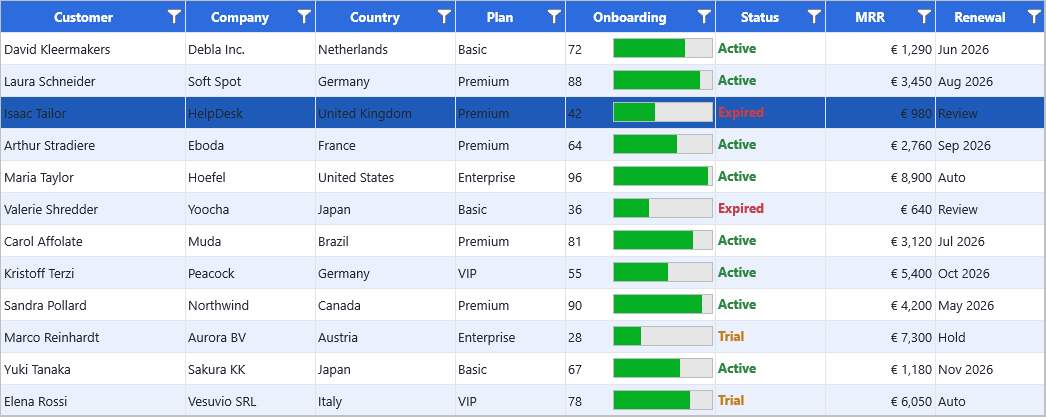
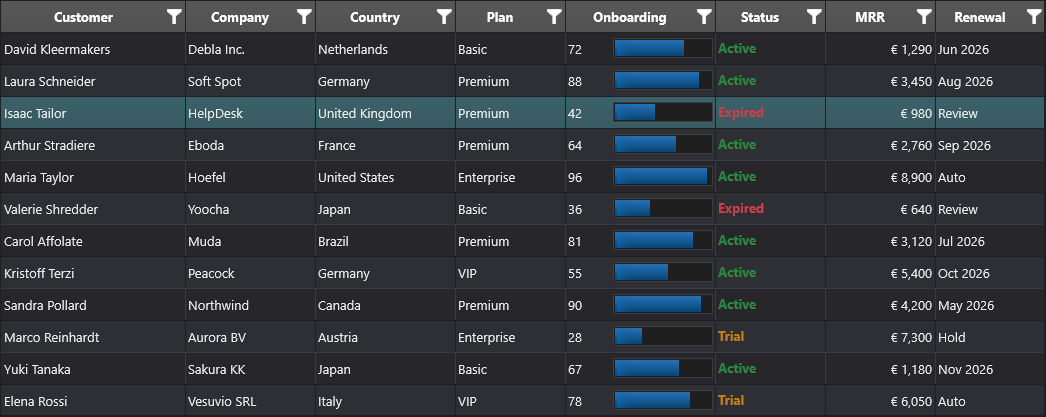
Overview
TTMSFNCDataGridExcelIO is a non-visual component that wraps the FlexCel adapter
library. Drop one on the form, point its DataGrid property at the grid you want to
serialise, configure Options, and call XLSImport / XLSExport. Both methods
support multi-sheet files and a starting offset in either the grid or the worksheet.
| Capability | Property / method |
|---|---|
| Read an existing file | XLSImport (3 overloads — first sheet, by sheet number, by sheet name) |
| Write a file | XLSExport |
| Preserve cell formatting | Options.ImportCellFormats / Options.ExportCellFormats |
| Preserve cell properties (alignment, font, fill, …) | Options.ImportCellProperties / Options.ExportCellProperties |
| Preserve images | Options.ImportImages / Options.ExportImages |
| Preserve formulas | Options.ImportFormulas / Options.ExportFormulas |
| Preserve cell sizes | Options.ImportCellSizes / Options.ExportCellSizes |
| Auto-resize the grid after import | Options.AutoResizeDataGrid |
| Confirm or skip overwrite on export | Options.ExportOverwrite (omNever, omAlways, omWarn) |
| Discover sheet names without importing | LoadSheetNames + SheetNames[] / SheetNamesCount |
Quick example
procedure TForm1.FormCreate(Sender: TObject);
begin
  // Preserve cell formatting and images both ways
  ExcelIO.Options.ImportCellProperties := True;
  ExcelIO.Options.ExportCellProperties := True;
  ExcelIO.Options.ExportImages         := True;

  // Always overwrite an existing file without prompting
  ExcelIO.Options.ExportOverwrite := omAlways;

  // Bind the IO component to the grid
  ExcelIO.DataGrid := Grid;
end;

procedure TForm1.ImportButtonClick(Sender: TObject);
begin
  ExcelIO.XLSImport('CARS.xls');
end;

procedure TForm1.ExportButtonClick(Sender: TObject);
begin
  ExcelIO.XLSExport('gridexport.xls');
  TTMSFNCUtils.OpenFile('gridexport.xls');   // open in the default handler
end;
using namespace Fmx::Tmsfncdatagridexcelio;
void __fastcall TForm1::FormCreate(TObject *Sender)
{
  // Preserve cell formatting and images both ways
  ExcelIO->Options->ImportCellProperties = true;
  ExcelIO->Options->ExportCellProperties = true;
  ExcelIO->Options->ExportImages         = true;

  // Always overwrite an existing file without prompting
  ExcelIO->Options->ExportOverwrite = omAlways;

  // Bind the IO component to the grid
  ExcelIO->DataGrid = Grid;
}

void __fastcall TForm1::ImportButtonClick(TObject *Sender)
{
  ExcelIO->XLSImport("CARS.xls");
}

void __fastcall TForm1::ExportButtonClick(TObject *Sender)
{
  ExcelIO->XLSExport("gridexport.xls");
  TTMSFNCUtils::OpenFile("gridexport.xls");   // open in the default handler
}
Step by step
1. Drop the IO component on the form
Add a TTMSFNCDataGridExcelIO to the form and assign its DataGrid property:
ExcelIO.DataGrid := Grid;
If a TTMSFNCDataGrid is already on the same form, the component will auto-bind to
the first one it finds at construction time — so you usually don't need to set
DataGrid manually.
2. Configure the options
ExcelIO.Options.ImportCellFormats    := True;
ExcelIO.Options.ImportCellProperties := True;
ExcelIO.Options.ImportImages         := True;
ExcelIO.Options.ImportCellSizes      := True;

ExcelIO.Options.ExportCellFormats    := True;
ExcelIO.Options.ExportCellProperties := True;
ExcelIO.Options.ExportImages         := True;
ExcelIO.Options.ExportOverwrite      := omWarn;    // ask before overwriting
3. Choose the grid offset and the worksheet offset
Both sides support a starting cell. This is useful when you want to leave a title or banner row in either the grid or the worksheet:
ExcelIO.DataGridStartRow := 1;    // skip header row in the grid
ExcelIO.DataGridStartCol := 0;
ExcelIO.XlsStartRow      := 1;    // start writing at row 1 in the sheet
ExcelIO.XlsStartCol      := 1;
4. Import or export
ExcelIO.XLSImport('CARS.xls');                         // first sheet
ExcelIO.XLSImport('CARS.xls', 2);                      // by sheet number
ExcelIO.XLSImport('CARS.xls', 'Sales');                // by sheet name
ExcelIO.XLSExport('gridexport.xlsx');                  // first sheet
ExcelIO.XLSExport('gridexport.xlsx', 'Sales', -1);     // append a new sheet
5. Discover sheets without importing
If you want to show the user a list of sheets to choose from before importing:
ExcelIO.LoadSheetNames('book.xls');
for var I := 0 to ExcelIO.SheetNamesCount - 1 do
  ListBox.Items.Add(ExcelIO.SheetNames[I]);
Common questions
Why is my export missing the formatting?
Both ImportCellProperties/ExportCellProperties and
ImportCellFormats/ExportCellFormats must be on. The first preserves the
in-grid Layout (fill colour, alignment, font), the second preserves the FlexCel
cell format (number/date format strings, etc.).
How do I customise the cell format on export?
Hook OnCellFormat (and OnDateTimeFormat for date/time cells) and modify the
TFlxFormat argument. Use OnExportColumnFormat to override per-column widths.
Can I write a formula instead of a value?
Yes — hook OnGetCellFormula. Return a non-empty string to write that formula
into the cell instead of the literal value.
How do I set the worksheet zoom?
Set Options.Zoom (10–400, default 100) before exporting.
What happens to collapsed groups on export?
Collapsed grouped rows export as collapsed: the group state the user is looking at is carried into the worksheet's outline rather than being flattened, so the spreadsheet opens showing the same summary view as the grid. Expand the groups before exporting if you want every detail row visible in the result.
Related API
TTMSFNCDataGridExcelIO— the full class reference.TTMSFNCDataGridIOOptions— all preserve-this-or-that flags.TOverwriteMode—omNever,omAlways,omWarn.OnCellFormat,OnDateTimeFormat— per-cell format overrides.OnGetCellFormula— write a formula instead of a value.OnExportColumnFormat— per-column width override.
See also
- Import & export (CSV) — plain-text export without FlexCel.
- PDF export — print-ready output.
- Demo:
Demo/FMX/DataGrid/Basic/XLS Export - Demo:
Demo/FMX/DataGrid/Advanced/Non-Visual Data Export