TMS FNC DataGrid
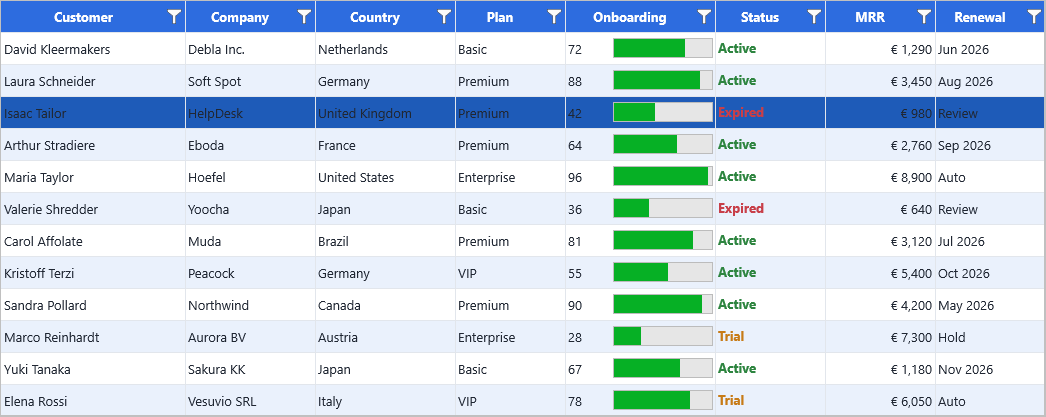
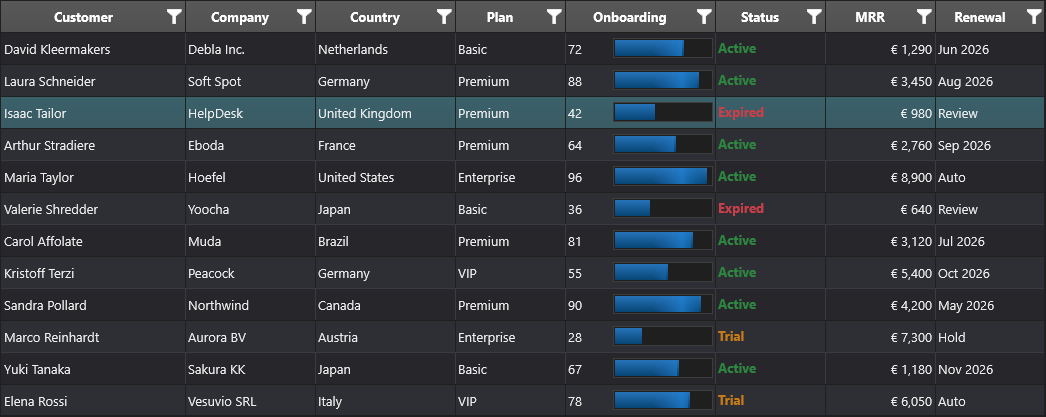
TMS FNC DataGrid is the UI Pack component for tabular data. It is designed for VCL, FMX, and WEB projects and exposes the same primary component class, TTMSFNCDataGrid, across framework-specific units.
Documentation
| Start here | Use when |
|---|---|
| Get started | You want a minimal grid on a form quickly. |
| Guides | You want task-oriented chapters grouped by feature area. |
| API reference | You want class, property, method, and event details. |
Supported Frameworks
| Framework | Unit family | Notes |
|---|---|---|
| FireMonkey | FMX.TMSFNCDataGrid* |
Desktop, mobile, and Linux FMX applications. |
| VCL | VCL.TMSFNCDataGrid* |
Windows desktop applications. |
| TMS WEB Core | WEBLib.TMSFNCDataGrid* |
Browser applications using the WEB Core runtime. |
Quick Start
Create the grid, assign a parent, set the row and column count, then write values through the indexed cell API.
procedure TForm1.FormCreate(Sender: TObject);
begin
  Grid := TTMSFNCDataGrid.Create(Self);
  Grid.Parent := Self;
  Grid.Align := TAlignLayout.Client;

  Grid.ColumnCount := 3;
  Grid.RowCount := 5;

  Grid.Cells[0, 0] := 'ID';
  Grid.Cells[1, 0] := 'Name';
  Grid.Cells[2, 0] := 'Country';

  Grid.Cells[0, 1] := 1;
  Grid.Cells[1, 1] := 'John Doe';
  Grid.Cells[2, 1] := 'USA';
end;
void __fastcall TForm1::FormCreate(TObject *Sender)
{
  Grid = new TTMSFNCDataGrid(this);
  Grid->Parent = this;
  Grid->Align = TAlignLayout::Client;

  Grid->ColumnCount = 3;
  Grid->RowCount = 5;

  // Cells holds a TValue; the typed Strings/Ints accessors avoid explicit TValue conversions.
  Grid->Strings[0][0] = "ID";
  Grid->Strings[1][0] = "Name";
  Grid->Strings[2][0] = "Country";

  Grid->Ints[0][1] = 1;
  Grid->Strings[1][1] = "John Doe";
  Grid->Strings[2][1] = "USA";
}
API Map
The DataGrid API is split across a registered component, a protected base class, and owned helper objects. Application code usually works with TTMSFNCDataGrid; the related classes below explain where layout, data, rendering, options, adapters, and export behavior live.
| Role | API | Ownership and use |
|---|---|---|
| Registered component | TTMSFNCDataGrid |
Drop this on a form or create it in code. It publishes the main API inherited from TTMSFNCCustomDataGrid. |
| Base component | TTMSFNCCustomDataGrid |
Declares most public and published grid members exposed by the registered component. |
| Geometry and layout | TTMSFNCDataGridCore |
Owns row and column counts, fixed/frozen regions, visibility, coordinates, and scrolling. |
| Cell data and operations | TTMSFNCDataGridData |
Stores cell values and coordinates sorting, filtering, grouping, calculations, and conversion. |
| Rendering layer | TTMSFNCDataGridRenderer |
Draws cells, cell controls, appearance states, selection visuals, and interaction feedback. |
| Options | TTMSFNCDataGridOptions |
Groups behavior switches for selection, interaction, sorting, editing, and display options. |
| Appearance | TTMSFNCDataGridCellAppearance |
Holds reusable cell layouts for normal, selected, focused, fixed, summary, and grouped states. |
| Columns | TTMSFNCDataGridColumns, TTMSFNCDataGridColumn |
Define column-level behavior, text, size, visibility, appearance overrides, and editor choices. |
| Database binding | TTMSFNCDataGridDatabaseAdapter |
Connects the grid to dataset-backed data sources and maps dataset fields to grid columns. |
| XLS/XLSX IO | TTMSFNCDataGridExcelIO |
Imports and exports spreadsheet data. |
| PDF export | TTMSFNCDataGridPDFIO |
Exports grid output through the PDF pipeline. |
| Printing | TTMSFNCDataGridPrintIO |
Sends paginated grid output to printer targets. |
| Column editor dialog | TTMSFNCDataGridColumnsEditor |
Provides the column visibility and ordering editor. |
See Architecture for the full ownership model.
Feature Guides
Sorting
Single-column and multi-column sorting with custom comparison hooks.
Filtering
Programmatic filters, filter row editors, and filter dropdown buttons.
Grouping
Group by one or more columns with summaries, headers, and visual grouping.
Inline editing
Built-in editors plus hooks for custom editor classes and editor properties.
Data binding
Dataset adapter support for
TDataSetsources, including FireDAC scenarios.Import and export
CSV, XLS/XLSX, HTML, PDF, image export, and printing through companion classes.