Getting started
Get a working TTMSFNCKanbanBoard on screen in five minutes.
Add the component to a form
- Search for TTMSFNCKanbanBoard in the Tool Palette.
- Drag it onto your form.
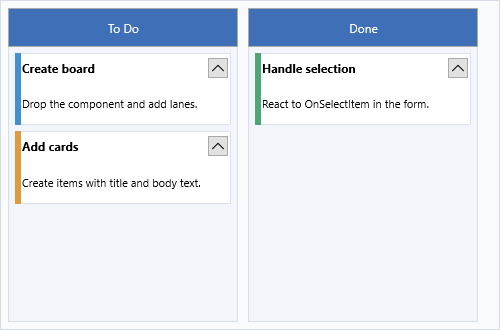
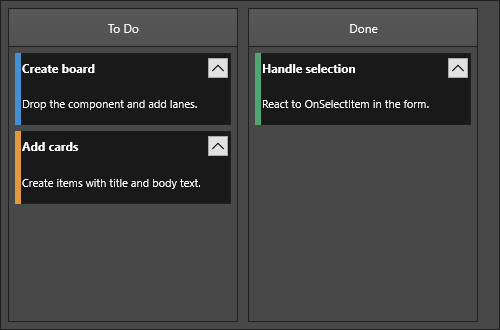
The board drops with sample columns and items already loaded.
Add columns and items
var
  col: TTMSFNCKanbanBoardColumn;
  item: TTMSFNCKanbanBoardItem;
begin
  Board1.Columns.Clear;

  col := Board1.Columns.Add;
  col.HeaderText := 'To Do';

  item := col.Items.Add;
  item.Title := 'Design review';
  item.Text := 'Review the new UI mockups';

  item := col.Items.Add;
  item.Title := 'Write tests';
  item.Text := 'Unit tests for the auth module';

  col := Board1.Columns.Add;
  col.HeaderText := 'In Progress';

  item := col.Items.Add;
  item.Title := 'API integration';
  item.Text := 'Connect frontend to REST endpoints';
end;
TTMSFNCKanbanBoardColumn *col;
TTMSFNCKanbanBoardItem *item;

Board1->Columns->Clear();

col = Board1->Columns->Add();
col->HeaderText = "To Do";

item = col->Items->Add();
item->Title = "Design review";
item->Text = "Review the new UI mockups";

item = col->Items->Add();
item->Title = "Write tests";
item->Text = "Unit tests for the auth module";

col = Board1->Columns->Add();
col->HeaderText = "In Progress";

item = col->Items->Add();
item->Title = "API integration";
item->Text = "Connect frontend to REST endpoints";
Respond to item selection
procedure TForm1.Board1SelectItem(Sender: TObject;
  AColumn: TTMSFNCKanbanBoardColumn; AItem: TTMSFNCKanbanBoardItem);
begin
  if Assigned(AItem) then
    ShowMessage('Selected: ' + AItem.Title);
end;
void __fastcall TForm1::Board1SelectItem(TObject *Sender,
  TTMSFNCKanbanBoardColumn *AColumn, TTMSFNCKanbanBoardItem *AItem)
{
  if (AItem != nullptr)
    ShowMessage("Selected: " + AItem->Title);
}
Where to next
After the first board is visible, decide which part of the workflow needs the most structure. Most applications refine columns first, then improve item content and interaction rules once the board matches the team's real process.
- Columns - column setup, filtering, sorting, collapsing, and per-column styling.
- Items - item text, marks, HTML content, selection state, and persistence.
- Appearance - board-wide typography, colors, item sizing, and focused visual overrides.
- Interaction - drag and drop, editing, multi-select, and event-driven validation.