Getting Started with TMS FNC Memo
TTMSFNCMemo is a Monaco Editor-based code editor component. It runs inside a TTMSFNCWebBrowser, so the browser dependencies must be installed before the component will render.

Prerequisites
- Delphi with TMS FNC UI Pack installed.
- The
TTMSFNCWebBrowsernative browser binaries installed for your target platform. Follow the TMS FNC Web Browser installation guide before proceeding. - A VCL, FMX, or WEB application.
Steps
1. Drop the component
Drop a TTMSFNCMemo from the TMS FNC UI Pack palette page onto a form. The editor renders once the underlying TTMSFNCWebBrowser has initialised.
React to OnInitialized if you need to populate the editor after the browser is ready:
procedure TForm1.TMSFNCMemo1Initialized(Sender: TObject);
begin
  TMSFNCMemo1.Text := '// Ready';
end;
2. Choose a language and theme
TMSFNCMemo1.Language := mlTypeScript;
TMSFNCMemo1.Theme    := mtVisualStudioDark;
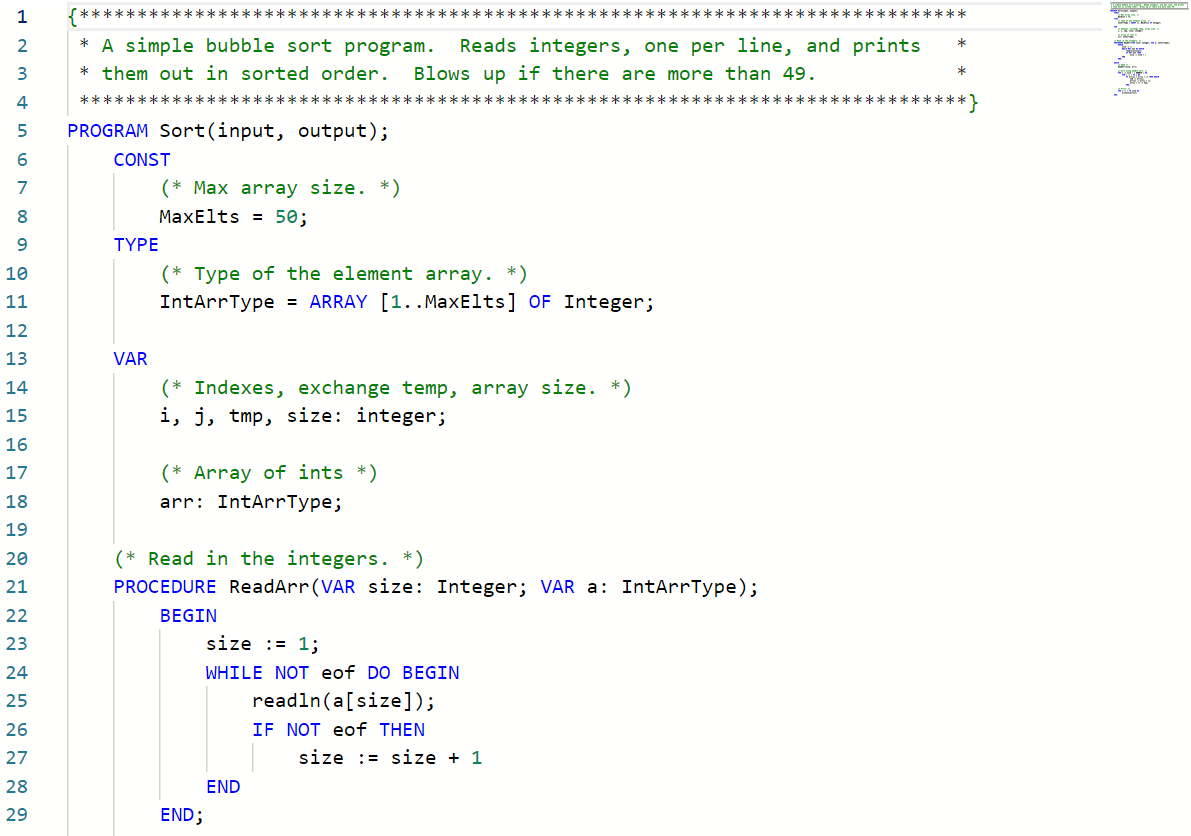
Over 50 languages are supported. The default language is mlPascal; the default theme is mtVisualStudio (light).
3. Load content
// Prerequisites: install the embedded web editor dependencies first.
// See the TMS FNC Core Web Browser guide for installation steps.

// 1. Set the language (defaults to mlPascal)
TMSFNCMemo1.Language := mlTypeScript;

// 2. Set the theme
TMSFNCMemo1.Theme := mtVisualStudio;

// 3. Load content from a file
TMSFNCMemo1.LoadFromFile('C:\Projects\MyApp\main.ts');

// 4. React to changes
procedure TForm1.TMSFNCMemo1Change(Sender: TObject);
begin
  Caption := 'Modified';
end;
// Prerequisites: install the embedded web editor dependencies first.
// See the TMS FNC Core Web Browser guide for installation steps.
void __fastcall TForm1::SetupMemo()
{
  // 1. Set the language (defaults to mlPascal)
  TMSFNCMemo1->Language = mlTypeScript;

  // 2. Set the theme
  TMSFNCMemo1->Theme = mtVisualStudio;

  // 3. Load content from a file
  TMSFNCMemo1->LoadFromFile("C:\\Projects\\MyApp\\main.ts");
}

// 4. React to changes
void __fastcall TForm1::TMSFNCMemo1Change(TObject *Sender)
{
  Caption = "Modified";
}
4. Handle changes
procedure TForm1.TMSFNCMemo1Change(Sender: TObject);
begin
  // TMSFNCMemo1.Text holds the current content
end;