TTMSFNCDataGrid — Grouped Reference
Task-oriented view of TTMSFNCDataGrid and its published surface,
organized by feature area. For the alphabetical reference and member detail pages see
API reference.
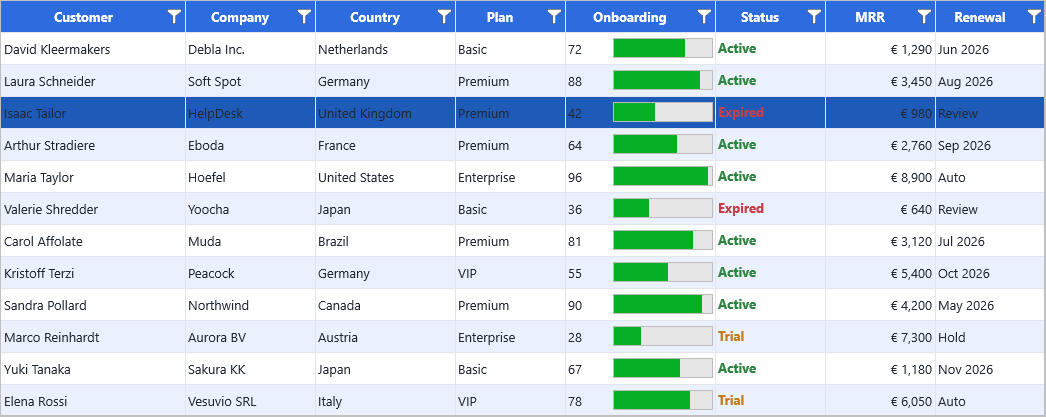
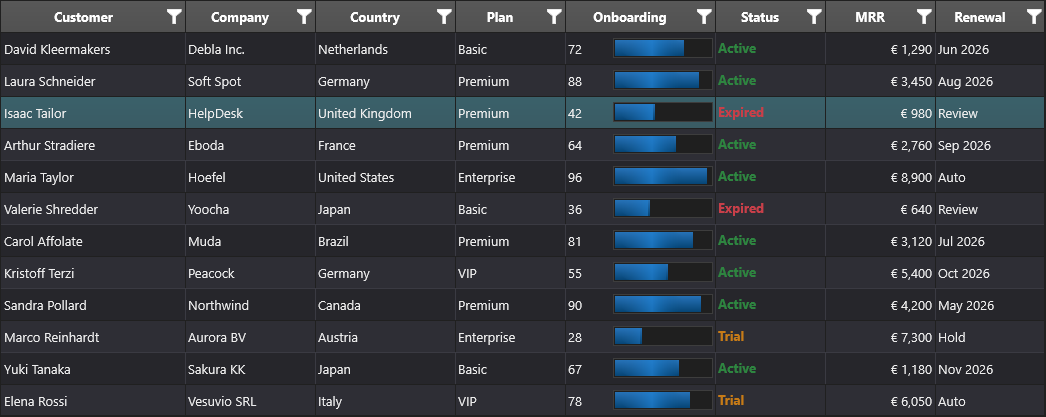
The grouped sections below map onto a small set of everyday entry points. The
minimal example sizes the grid from the Layout group (ColumnCount,
RowCount) and writes values through the Data group (Cells) — a useful
orientation before drilling into a specific group:
procedure TForm1.FormCreate(Sender: TObject);
begin
  Grid := TTMSFNCDataGrid.Create(Self);
  Grid.Parent := Self;
  Grid.Align := TAlignLayout.Client;

  Grid.ColumnCount := 3;
  Grid.RowCount := 5;

  Grid.Cells[0, 0] := 'ID';
  Grid.Cells[1, 0] := 'Name';
  Grid.Cells[2, 0] := 'Country';

  Grid.Cells[0, 1] := 1;
  Grid.Cells[1, 1] := 'John Doe';
  Grid.Cells[2, 1] := 'USA';
end;
void __fastcall TForm1::FormCreate(TObject *Sender)
{
  Grid = new TTMSFNCDataGrid(this);
  Grid->Parent = this;
  Grid->Align = TAlignLayout::Client;

  Grid->ColumnCount = 3;
  Grid->RowCount = 5;

  // Cells holds a TValue; the typed Strings/Ints accessors avoid explicit TValue conversions.
  Grid->Strings[0][0] = "ID";
  Grid->Strings[1][0] = "Name";
  Grid->Strings[2][0] = "Country";

  Grid->Ints[0][1] = 1;
  Grid->Strings[1][1] = "John Doe";
  Grid->Strings[2][1] = "USA";
}
Data
Properties for reading and writing cell values, column and row counts, and filtering/sorting/grouping state.
| Property | Description |
|---|---|
| Cells | Gets or sets the display value of the specified cell. |
| CellData | Gets direct access to the cell item stored at the specified column and row. |
| Strings | Gets or sets the string value stored in the specified cell. |
| Ints | Gets or sets the integer value stored in the specified cell. |
| Floats | Gets or sets the floating-point value stored in the specified cell. |
| Booleans | When True, the cell is in a checked or active state; when False, it is unchecked or inactive. |
| Objects | Gets or sets an object reference stored in the specified cell. |
| ManagedObjects | Gets or sets an object whose lifetime is managed by the grid cell data. |
| ColumnCalculations | Gets or sets the automatic calculation definitions for a column. |
| RowCalculations | Gets or sets the automatic calculation definitions for a row. |
| ColumnCount | Number of columns in the grid. |
| RowCount | Number of rows in the grid. |
| Filter | Provides access to the grid data filter collection. |
| HasFilter | When True, at least one active filter condition is applied to the data; when False, no filter is active. |
| FilteredRowCount | Number of rows currently visible after filtering. |
| SortIndexList | List of columns currently participating in sorting. |
| GroupInfo | Gets grouping metadata for the specified row. |
| RowNodeState | Gets or sets the expanded or collapsed state of a node row. |
| RowNodeLevel | Gets the hierarchy level of a node row. |
| RowNodeChildCount | Gets the number of child rows for a node row. |
| Comments | Gets or sets the comment text attached to the specified cell. |
| Hints | Gets or sets the hint text assigned to the specified cell. |
| ProgressValue | Gets or sets the progress value displayed in the specified cell. |
| Grids | Gets or sets the nested grid assigned to the specified cell. |
| StoredCells | Gets or sets whether the specified cell is stored explicitly. |
Layout
Properties controlling column and row dimensions, fixed regions, visibility, scrolling, and paging.
| Property | Description |
|---|---|
| ColumnWidths | Gets or sets the width of a column. |
| ColumnWidthsDIP | Gets or sets the width of a column in device-independent pixels. |
| RowHeights | Gets or sets the height of a row. |
| RowHeightsDIP | Gets or sets the height of a row in device-independent pixels. |
| DefaultColumnWidth | Default width used for new or reset columns. |
| DefaultRowHeight | Default height used for new or reset rows. |
| FixedColumnCount | Number of columns fixed at the left side of the grid. |
| FixedRowCount | Number of rows fixed at the top of the grid. |
| FixedBottomRowCount | Number of rows fixed at the bottom of the grid. |
| FixedRightColumnCount | Number of columns fixed at the right side of the grid. |
| FreezeColumnCount | Number of columns frozen while horizontal scrolling. |
| FreezeRowCount | Number of rows frozen while vertical scrolling. |
| TotalColumnWidth | Total width of all columns in the current layout. |
| TotalRowHeight | Total height of all rows in the current layout. |
| LeftColumn | Index of the first visible column in the current viewport. |
| RightColumn | Index of the last visible column in the current viewport. |
| TopRow | Index of the first visible row in the current viewport. |
| BottomRow | Index of the last visible row in the current viewport. |
| VisibleColumnCount | Number of visible columns. |
| VisibleRowCount | Number of visible rows. |
| ColumnPositions | Returns the pixel position of a column in the current layout. |
| RowPositions | Returns the pixel position of a row in the current layout. |
| ColumnOrders | Gets or sets the display order index for a column. |
| RowOrders | Gets or sets the display order index for a row. |
| ColumnReverseOrders | Maps display-order column indices back to their original column indices. |
| RowReverseOrders | Maps display-order row indices back to their original row indices. |
| HiddenColumns | When True, the indexed column is hidden from view; when False, the column is visible. |
| HiddenRows | When True, the indexed row is hidden from view; when False, the row is visible. |
| HiddenColumnCount | Number of hidden columns. |
| HiddenRowCount | Number of hidden rows. |
| HiddenColumnWidths | Gets the stored width of a hidden column. |
| HiddenRowHeights | Gets the stored height of a hidden row. |
Appearance
Properties for visual styling per cell and overall grid presentation.
| Property | Description |
|---|---|
| CellAppearance | Defines the default visual appearance for grid cells and cell states. |
| ConditionalFormatting | Declarative formatting rules: color scales, data bars, icon sets, value rules, and rank highlights (guide). |
| AutoFillAppearance | Defines the appearance of the autofill handle and related visual feedback. |
| DragAppearance | Defines the appearance used while dragging rows, columns, or cells. |
| FilterAppearance | Defines the appearance of filter UI elements. |
| SortIndicatorAppearance | Defines the appearance of the column-header sort indicator (order number font/badge and arrow glyph size). |
| Colors | Gets or sets the background color of the specified cell. |
| FontColors | Gets or sets the font color of the specified cell. |
| FontNames | Gets or sets the font family name of the specified cell. |
| FontSizes | Gets or sets the font size of the specified cell. |
| FontStyles | Gets or sets the font style of the specified cell. |
| TextAligns | Gets or sets the horizontal text alignment of the specified cell. |
| VerticalTextAligns | Gets or sets the vertical text alignment of the specified cell. |
| TextAngles | Gets or sets the text rotation angle of the specified cell. |
| WordWrapping | Gets or sets whether text wraps in the specified cell. |
| BitmapAligns | Gets or sets the alignment of the bitmap in the specified cell. |
| BitmapAspectRatios | When True, the bitmap at the indexed cell preserves its aspect ratio during rendering; when False, it is stretched to fill the cell without aspect correction. |
| BitmapCentereds | When True, the bitmap at the indexed cell is centered within the cell bounds; when False, it is aligned according to BitmapAligns. |
| BitmapCroppeds | When True, the bitmap at the indexed cell is cropped to fit the cell bounds; when False, the full image is drawn. |
| BitmapHeights | Gets or sets the bitmap height for the specified cell. |
| BitmapWidths | Gets or sets the bitmap width for the specified cell. |
| BitmapMargins | Gets or sets the bitmap margins for the specified cell. |
| BitmapPositions | Gets or sets the bitmap position relative to text in the specified cell. |
| BitmapStretcheds | When True, the bitmap at the indexed cell is stretched to fill the cell bounds; when False, it is rendered at its natural size. |
| ControlAligns | Gets or sets the alignment of an embedded control in the specified cell. |
| ControlHeights | Gets or sets the height of an embedded control in the specified cell. |
| ControlWidths | Gets or sets the width of an embedded control in the specified cell. |
| ControlHeightsDIP | Gets or sets the height of an embedded control in device-independent pixels. |
| ControlWidthsDIP | Gets or sets the width of an embedded control in device-independent pixels. |
| GlobalFont | Applies the global font to grid text rendering. |
| Icons | Image resources used for built-in grid icons. |
| MergedColumns | When True, the indexed column is part of a merged cell region; when False, the column is not merged. |
| MergedRows | When True, the indexed row is part of a merged cell region; when False, the row is not merged. |
| States | Gets or sets the visual state flags for the specified cell. |
Interaction
Properties controlling selection, editing state, scroll bars, and drag-drop.
| Property | Description |
|---|---|
| ReadOnlys | Gets or sets whether the specified cell is read-only. |
| SelectedCells | Gets or sets whether the specified cell is selected. |
| SelectedRows | Gets or sets whether the specified row is selected. |
| SelectedColumns | Gets or sets whether the specified column is selected. |
| SelectedCellCount | Number of selected cells. |
| SelectedRowCount | Number of selected rows. |
| SelectedColumnCount | Number of selected columns. |
| Selection | Current selected cell range. |
| StartColumn | Start column of the current selection range. |
| StartRow | Start row of the current selection range. |
| StopColumn | End column of the current selection range. |
| StopRow | End row of the current selection range. |
| FocusedCell | Gets or sets the cell that currently has keyboard focus. |
| EditingCell | Coordinates of the cell currently being edited. |
| DragCell | Coordinates of the cell currently involved in a drag operation. |
| CellPopupMenu | Popup menu shown for grid cells. |
| CustomScrollBars | When True, the grid uses custom scrollbar controls instead of the native ones; when False, the platform's native scrollbars are used. |
| CustomHorizontalScrollBar | Provides access to the custom horizontal scrollbar when custom scrollbars are enabled. |
| CustomVerticalScrollBar | Provides access to the custom vertical scrollbar when custom scrollbars are enabled. |
| ExternalHorizontalScrollBar | Assigns an external horizontal scrollbar to control horizontal scrolling. |
| ExternalVerticalScrollBar | Assigns an external vertical scrollbar to control vertical scrolling. |
| ScrollMode | Defines how the grid responds to scrolling. |
| ScrollUpdate | Controls when the grid updates during scrolling. |
| StretchScrollBars | Extends scrollbar thumbs to match stretched row or column layouts. |
| HorizontalScrollBarVisible | When True, the horizontal scroll bar is shown; when False, it is hidden. |
| VerticalScrollBarVisible | Controls visibility of the vertical scrollbar. |
Options & companion components
Options objects, adapter, columns, and companion components.
| Property | Description |
|---|---|
| Adapter | Data adapter used to connect the grid to an external data source. |
| Options | General feature and behavior options for the grid. |
| Columns | Collection that defines column-specific settings. |
| ColumnsEditor | Provides access to the columns editor configuration. |
| BitmapContainer | Bitmap container used to resolve named or shared bitmap resources. |
| Designer | Enables design-time behavior for the grid. |
| Paging | Paging options that control page size, page index, and paging behavior. |
| Header | Configures the grid header, including visual grouping and the header button bar. |
| Footer | Configures the grid footer, including visibility, layout, buttons, and paging controls. |
| HeaderGroups | Provides access to the visual header grouping collection. |
| FilterBuilder | Provides access to the advanced filter builder. |
| FilterActions | Actions displayed for filter commands. |
| FilterEditors | Gets the filter editor control assigned to the specified column. |
| RendererSource | References an external renderer layer the grid renders with by reference. |
| ColumnViewMode | Controls how columns are mapped between data and display views. |
| RowViewMode | Controls how rows are mapped between data and display views. |
| Layouts | Gets or sets the custom layout assigned to the specified cell. |
| Controls | Gets or sets the embedded control assigned to the specified cell. |
| ControlTexts | Gets or sets the text associated with an embedded cell control. |
| Version | Returns the component version string. |
Methods
Key methods for data manipulation, import/export, navigation, and grid control.
| Method | Description |
|---|---|
| AddBitmap | Adds a bitmap cell using a TTMSFNCBitmap instance at the specified cell coordinate. |
| AddBitmapColumn | Applies a bitmap (by TTMSFNCBitmap) to every data row cell in the specified column. |
| AddButton | Adds a button cell with the specified caption at the given cell coordinate. |
| AddButtonColumn | Applies a button cell type to every data row cell in the specified column. |
| AddCheckBox | Adds a checkbox cell with the specified initial state at the given cell coordinate. |
| AddCheckBoxColumn | Applies a checkbox cell type to every data row cell in the specified column. |
| AddColumn | Appends a new empty column on the right side of the grid. |
| AddDataCheckBox | Adds a data-bound checkbox control to the specified cell coordinate. |
| AddDataCheckBoxColumn | Adds data-bound checkbox controls to every data cell in the specified column. |
| AddDataProgressBar | Adds a data-bound progress bar control to the specified cell coordinate. |
| AddDataProgressBarColumn | Adds data-bound progress bar controls to every data cell in the specified column. |
| AddDataRadioButton | Adds a data-bound radio button control to the specified cell coordinate. |
| AddDataRadioButtonColumn | Adds data-bound radio button controls to every data cell in the specified column. |
| AddFilterEditor | Adds an inline filter editor control to the specified fixed-row cell. |
| AddGrid | Embeds a nested sub-grid renderer in the specified cell and returns the renderer for further configuration. |
| AddNodeRow | Converts a data row into a collapsible tree node row with the specified number of child rows at the given nesting level. |
| AddProgressBar | Adds a progress bar cell with the specified initial value at the given cell coordinate. |
| AddProgressBarColumn | Applies a progress bar cell type to every data row cell in the specified column. |
| AddRadioButton | Adds a radio button cell with the specified initial state and group index at the given cell coordinate. |
| AddRadioButtonColumn | Applies a radio button cell type to every data row cell in the specified column. |
| AddRow | Appends a new empty data row at the bottom of the grid. |
| ApplyFilter | Applies the filter rules configured in the Filter property and updates visible rows accordingly. |
| AutoFill | Fills a target range by extending the data pattern from the source range (Excel-style fill handle behaviour). |
| AutoFillCustomListRemove | Removes a single custom auto-fill sequence list by its key. |
| AutoFillCustomListSet | Registers or updates a custom auto-fill sequence list (e.g. months, weekdays) identified by AKey. |
| AutoFillCustomListTryGet | Retrieves a named custom auto-fill sequence list. |
| AutoFillCustomListsClear | Removes all custom auto-fill sequence lists. |
| AutoFillCustomListsCount | Returns the number of registered custom auto-fill sequence lists. |
| AutoNumberColumn | Fills the specified column with sequential integer values starting from AStartValue. |
| AutoNumberRow | Fills the specified row with sequential integer values starting from AStartValue. |
| AutoSizeColumn | Resizes the specified column to fit its widest content. |
| AutoSizeColumns | Resizes all columns to fit their widest content. |
| AutoSizeGrid | Resizes both all columns and all rows to fit their content. |
| AutoSizeRow | Resizes the specified row to fit its tallest content. |
| AutoSizeRows | Resizes all rows to fit their tallest content. |
| BaseCell | Returns the top-left anchor cell of a merged group; returns ACell itself when the cell is not part of a merge. |
| CanDeleteColumn | Checks whether deleting the specified column is permitted by grid options and events. |
| CanDeleteRow | Checks whether deleting the specified row is permitted by grid options and events. |
| CanInsertColumn | Checks whether inserting a column at the specified index is permitted by grid options and events. |
| CanInsertRow | Checks whether inserting a row at the specified index is permitted by grid options and events. |
| CanMergeCells | Returns True when the described rectangular range can be merged without conflicting with any existing cell merges. |
| CanMoveColumn | Checks whether moving a column from one index to another is permitted by grid options and events. |
| CanMoveRow | Checks whether moving a row from one index to another is permitted by grid options and events. |
| CanSwapColumn | Checks whether swapping two columns is permitted by grid options and events. |
| CanSwapRow | Checks whether swapping two rows is permitted by grid options and events. |
| CancelEditing | Cancels the active in-place editor without saving changes. |
| ClearCells | Clears the values and cell data in the specified cell range. |
| ClearColumns | Removes all columns from the grid. |
| ClearControlCache | Clears cached real-control instances used for embedded cell controls. |
| ClearFilter | Clears all filter rules and makes all rows visible again. Equivalent to RemoveFilter. |
| ClearNodeRow | Clears the child cell data of a node row while preserving its node structure. |
| ClearSelection | Deselects all currently selected cells. |
| CloseFilterPopup | Closes the active filter popup, if one is open. |
| CollapseAllNodes | Collapses all node rows in the grid, hiding their child rows. |
| CollapseNode | Collapses the specified node row, hiding its child rows. |
| ColumnAverage | Returns the average of numeric values in the data rows of a column. |
| ColumnByHeader | Finds a column definition by its header caption; returns nil if no match is found. |
| ColumnByName | Finds a column definition by its design-time Name property; returns nil if not found. |
| ColumnCalculation | Runs a built-in aggregate calculation on a column and stores the result in the associated summary rows. |
| ColumnCustomCalculation | Runs a user-supplied callback over column values and returns the computed result. |
| ColumnDistinct | Returns the count of distinct (unique) values in the data rows of a column. |
| ColumnIndexByHeader | Returns the zero-based column index by searching for a matching header caption; returns -1 if not found. |
| ColumnIndexByName | Returns the zero-based column index by searching for a matching design-time Name; returns -1 if not found. |
| ColumnMax | Returns the maximum numeric value across the data rows of a column. |
| ColumnMin | Returns the minimum numeric value across the data rows of a column. |
| ColumnSpan | Returns the number of columns the cell spans due to a horizontal merge (1 for a non-merged cell). |
| ColumnStandardDeviation | Returns the population standard deviation of numeric values in the data rows of a column. |
| ColumnSum | Returns the sum of numeric values in the data rows of a column. |
| CopyToClipboard | Copies selected (or all) cells to the clipboard as tab-delimited text. |
| CutToClipboard | Copies selected (or all) cells to the clipboard and clears the source cells. |
| DeleteColumn | Removes the specified column from the grid. |
| DeleteColumns | Removes ACount consecutive columns starting at AColumn. |
| DeleteRow | Removes the specified row from the grid. |
| DeleteRows | Removes ACount consecutive rows starting at ARow. |
| DisplayToRealCell | Converts a display-order cell coordinate to the physical storage coordinate. |
| DisplayToRealColumn | Converts a display-order column index to the physical storage column index. |
| DisplayToRealRow | Converts a display-order row index to the physical storage row index. |
| Draw | Draws the grid to the supplied graphics context and rectangle. |
| EditCell | Opens the in-place editor for the specified cell. |
| ExpandAllNodes | Expands all node rows in the grid, making their child rows visible. |
| ExpandNode | Expands the specified node row, making its child rows visible. |
| Find | Searches the grid for the given text and returns the first matching cell coordinate. |
| FindAll | Finds all occurrences of a text; sets AResults to the total count and returns the first matching cell. |
| FindFirst | Begins a stateful search; call FindNext to advance to subsequent matches. |
| FindNext | Advances to the next match in a stateful search started by FindFirst. |
| FirstPage | Navigates to the first page when footer paging is enabled. |
| GetCellKind | Returns the kind (type) of the specified cell, such as normal text, button, checkbox, bitmap, progress bar, etc. |
| GetCellSize | Returns the pixel size of the cell including any column/row span due to merging. |
| GetMaxLevel | Returns the deepest nesting level among all grouped node rows in the grid. |
| GetParentRow | Returns the parent node row index for a child row in a tree structure. |
| GetRootRow | Returns the top-level root node row index for any child row in a tree structure. |
| GoToCell | Scrolls to and optionally selects the specified cell. |
| GoToFirstPage | Navigates to the first page when footer paging is enabled. |
| GoToLastPage | Navigates to the last page when footer paging is enabled. |
| GoToPage | Navigates to the specified page index when footer paging is enabled. |
| Group | Groups data rows by the values in the specified column, inserting group header rows. |
| GroupAverage | Applies an average aggregate to the group header rows for the specified column. |
| GroupCalculation | Runs a built-in aggregate calculation on a column and stores the result in group summary rows. |
| GroupCount | Applies a count aggregate to the group header rows for the specified column. |
| GroupCustomCalculation | Runs a custom calculation callback on a column and stores results in group summary rows. |
| GroupDistinct | Applies a distinct-count aggregate to the group header rows for the specified column. |
| GroupMax | Applies a maximum aggregate to the group header rows for the specified column. |
| GroupMin | Applies a minimum aggregate to the group header rows for the specified column. |
| GroupSort | Sorts group headers by the key or aggregate value of the specified column. |
| GroupStandardDeviation | Applies a standard deviation aggregate to the group header rows for the specified column. |
| GroupSum | Applies a sum aggregate to the group header rows for the specified column. |
| HasRowData | Returns True when the specified row contains at least one non-empty cell value. |
| HideColumn | Hides the specified column while preserving its stored width. |
| HideRow | Hides the specified row while preserving its stored height. |
| HilightCells | Visually highlights cells whose text matches AHilightText according to the given options. |
| InitSample | Fills the grid with built-in demo data; useful as a first-run placeholder during development. |
| InsertColumn | Inserts a new empty column before the specified column index. |
| InsertColumns | Inserts ACount new empty columns before the specified column index. |
| InsertRow | Inserts a new empty row before the specified row index. |
| InsertRows | Inserts ACount new empty rows before the specified row index. |
| IsCellBase | Returns True when the cell is the top-left base cell of a merge group (or is not merged at all). |
| IsCellDisabled | Returns True when the specified cell is disabled for interaction. |
| IsCellDisplayed | Returns True when the specified cell is part of the current displayed data view. |
| IsCellFixed | Returns True when the specified cell belongs to a fixed row or column. |
| IsCellFixedRoot | Returns True when the specified cell is fixed in the root grid area. |
| IsCellFreeze | Returns True when the specified cell belongs to a frozen row or column. |
| IsCellFreezeFixed | Returns True when the specified cell is both frozen and fixed. |
| IsCellFreezeRoot | Returns True when the specified cell belongs to the root frozen area. |
| IsCellHidden | Returns True when the cell belongs to a hidden column or row. |
| IsCellMerged | Returns True when the cell is part of a merged range (including the base cell). |
| IsCellSelected | Returns True when the cell is currently selected. |
| IsCellValid | Returns True when the specified cell coordinate is inside the grid bounds. |
| IsCellVisible | Returns True when the specified cell is valid and not hidden from the current layout. |
| IsColumnDisplayed | Returns True when the specified column is part of the current displayed data view. |
| IsColumnHidden | Returns True when the specified column is hidden. |
| IsColumnMerged | Returns True when the specified column participates in a merged range. |
| IsColumnValid | Returns True when the specified column index is inside the grid bounds. |
| IsColumnVisible | Returns True when the specified column is valid and not hidden. |
| IsEditing | Returns True when an in-place editor is currently open for any cell. |
| IsFixedCellSelected | Returns True when a fixed (header) cell is part of the current selection. |
| IsGrouped | Returns True when grouping is currently applied to the grid. |
| IsRowBand | Returns True when the row is an alternating band row used for visual striping. |
| IsRowDisplayed | Returns True when the specified row is part of the current displayed data view. |
| IsRowFilter | Returns True when the row is an inline filter editor row. |
| IsRowFiltered | Returns True when the specified row is excluded by the active filter. |
| IsRowHidden | Returns True when the specified row is hidden. |
| IsRowMerged | Returns True when the specified row participates in a merged range. |
| IsRowNode | Returns True when the row is a collapsible tree node row. |
| IsRowNormal | Returns True when the row is a regular data row (not a node, band, filter, or summary row). |
| IsRowSummary | Returns True when the row is a group summary row inserted by a grouping or calculation operation. |
| IsRowValid | Returns True when the specified row index is inside the grid bounds. |
| IsRowVisible | Returns True when the specified row is valid and not hidden. |
| LastPage | Navigates to the last page when footer paging is enabled. |
| LinearFill | Fills all data cells (and optionally fixed cells) with sequential integer values. |
| LoadFromCSVData | Loads cell data from a CSV file using the default encoding. |
| LoadFromCSVStreamData | Loads cell data from a CSV stream using the default encoding. |
| LoadFromFileData | Loads cell data from the native grid file format using the default encoding. |
| LoadFromFileStreamData | Loads cell data from the native grid file format from a stream using the default encoding. |
| LoadFromJSONData | Loads data from a JSON file using the specified encoding. |
| LoadFromJSONStreamData | Loads data from a JSON stream using the specified encoding. |
| LoadFromJSONTextData | Loads data from a JSON string. |
| LoadFromXMLData | Loads data from an XML file using the default encoding. |
| LoadFromXMLStreamData | Loads data from an XML stream using the default encoding. |
| LoadSampleData | Fills the grid with built-in demo data. |
| LogMessage | Raises the grid log-message event with the specified text and severity. |
| LoopThroughColumns | Executes a callback for each column, optionally including fixed columns. |
| LoopThroughRows | Executes a callback for each row, optionally including fixed rows. |
| MarkCells | Marks cells whose text matches AHilightText for persistent flagging independent of visual highlighting. |
| MatchFilter | Returns True when the specified row satisfies all currently active filter conditions. |
| MergeCells | Merges a rectangular block of cells into a single display cell. |
| MergeColumn | Vertically merges all data cells in the specified column into a single display cell. |
| MergeColumns | Vertically merges all data cells in ACount consecutive columns starting at AColumn. |
| MergeRange | Merges all cells within the given coordinate range. |
| MergeRow | Horizontally merges all data cells in the specified row into a single display cell. |
| MergeRows | Horizontally merges all data cells in ACount consecutive rows starting at ARow. |
| MoveColumn | Reorders a column by moving it from AFromColumn to AToColumn. |
| MoveRow | Reorders a row by moving it from AFromRow to AToRow. |
| NextPage | Navigates to the next page when footer paging is enabled. |
| NextSelectableColumn | Returns the next selectable cell coordinate to the right, skipping hidden and disabled cells. |
| NextSelectableRow | Returns the next selectable cell coordinate below, skipping hidden and disabled cells. |
| NextVisibleColumn | Returns the next visible cell coordinate to the right, skipping hidden columns. |
| NextVisibleRow | Returns the next visible cell coordinate below, skipping hidden rows. |
| PasteFromClipboard | Pastes tab-delimited text from the clipboard starting at the focused cell. |
| PreviousPage | Navigates to the previous page when footer paging is enabled. |
| PreviousSelectableColumn | Returns the previous selectable cell coordinate to the left, skipping hidden and disabled cells. |
| PreviousSelectableRow | Returns the previous selectable cell coordinate above, skipping hidden and disabled cells. |
| PreviousVisibleColumn | Returns the previous visible cell coordinate to the left, skipping hidden columns. |
| PreviousVisibleRow | Returns the previous visible cell coordinate above, skipping hidden rows. |
| RandomFill | Fills all data cells (and optionally fixed cells) with random integer values. |
| RealToDisplayCell | Converts a physical storage cell coordinate to the display-order coordinate. |
| RealToDisplayColumn | Converts a physical storage column index to the display-order column index. |
| RealToDisplayRow | Converts a physical storage row index to the display-order row index. |
| RealToVisualColumn | Converts a physical storage column index to the 0-based column index in the currently rendered output (reorder + hidden applied). Returns -1 when the column is hidden. |
| RealToVisualRow | Converts a physical storage row index to the 0-based row index in the currently rendered output (sort + filter + hidden applied). Returns -1 when the row is filtered or hidden. |
| RemoveBitmap | Removes the bitmap cell type from the specified cell, reverting it to a plain text cell. |
| RemoveButton | Removes the button cell type from the specified cell, reverting it to a plain text cell. |
| RemoveCheckBox | Removes the checkbox cell type from the specified cell, reverting it to a plain text cell. |
| RemoveDataCheckBox | Removes the data-bound checkbox control from the specified cell coordinate. |
| RemoveDataRadioButton | Removes the data-bound radio button control from the specified cell coordinate. |
| RemoveFilter | Clears all filter rules and makes all rows visible again. |
| RemoveFilterEditor | Removes the inline filter editor from the specified fixed-row cell. |
| RemoveGrid | Removes the nested sub-grid renderer from the specified cell, reverting it to a plain cell. |
| RemoveLayout | Removes the custom layout assigned to the specified cell coordinate. |
| RemoveNodeRow | Removes the node structure from a row, making it a plain data row again. |
| RemoveProgressBar | Removes the progress bar cell type from the specified cell, reverting it to a plain text cell. |
| RemoveRadioButton | Removes the radio button cell type from the specified cell, reverting it to a plain text cell. |
| Replace | Replaces all occurrences of a value with a new value in all cells; returns the number of replacements made. |
| ResetDrag | Resets the current drag operation and clears drag state. |
| RowAverage | Returns the average of numeric values across the data columns of a row. |
| RowCalculation | Runs a built-in aggregate calculation across a row and stores the result in associated summary columns. |
| RowCustomCalculation | Runs a user-supplied callback over row values and returns the computed result. |
| RowDistinct | Returns the count of distinct (unique) values across the data columns of a row. |
| RowMax | Returns the maximum numeric value across the data columns of a row. |
| RowMin | Returns the minimum numeric value across the data columns of a row. |
| RowSpan | Returns the number of rows the cell spans due to a vertical merge (1 for a non-merged cell). |
| RowStandardDeviation | Returns the population standard deviation of numeric values across the data columns of a row. |
| RowSum | Returns the sum of numeric values across the data columns of a row. |
| SaveToCSVData | Saves cell data to a CSV file using the default encoding. |
| SaveToCSVStreamData | Saves cell data to a CSV stream using the default encoding. |
| SaveToFileData | Saves cell data to the native grid file format using the default encoding. |
| SaveToFileStreamData | Saves cell data to the native grid file format into a stream using the default encoding. |
| SaveToHTMLData | Exports the visible grid content as an HTML table to a file using the default encoding. |
| SaveToHTMLStreamData | Exports the visible grid content as an HTML table into a stream using the default encoding. |
| SaveToImageData | Renders the grid to a PNG image file. |
| SaveToImageStreamData | Renders the grid to a PNG image written to a stream. |
| Scroll | Programmatically scrolls the grid to the given pixel position. |
| SelectAllCells | Selects all data cells in the grid. |
| SelectCell | Selects the specified cell, optionally applying Shift or Ctrl multi-selection semantics. |
| SelectCellRange | Selects a rectangular range of cells defined by column and row indices. |
| SelectColumns | Selects all cells in the specified column range. |
| SelectRows | Selects all cells in the specified row range. |
| SetBitmap | Replaces the existing cell content with a bitmap cell using a TTMSFNCBitmap instance. |
| SetBitmapColumn | Replaces every data row cell in the column with a bitmap cell using a TTMSFNCBitmap. |
| SetButton | Replaces the existing cell content with a button cell having the given caption. |
| SetButtonColumn | Replaces every data row cell in the column with a button cell. |
| SetCheckBox | Replaces the existing cell content with a checkbox cell having the given initial state. |
| SetCheckBoxColumn | Replaces every data row cell in the column with a checkbox cell. |
| SetGrid | Replaces the cell content with a nested sub-grid renderer and returns the renderer. |
| SetNodeRow | Replaces an existing row with a collapsible tree node row. |
| SetProgressBar | Replaces the existing cell content with a progress bar cell having the given initial value. |
| SetProgressBarColumn | Replaces every data row cell in the column with a progress bar cell. |
| SetRadioButton | Replaces the existing cell content with a radio button cell having the given state and group index. |
| SetRadioButtonColumn | Replaces every data row cell in the column with a radio button cell. |
| ShowColumnsEditor | Opens the column visibility and order editor dialog. |
| ShowFilterDialog | Opens the advanced filter dialog for configuring filter rules. |
| ShowFindDialog | Opens the find dialog for searching cell text. |
| ShowReplaceDialog | Opens the find-and-replace dialog. |
| Sort | Sorts all data rows by the specified column and direction. |
| SortIndexed | Re-applies the last sort using the previously computed sort index list. |
| SplitCell | Removes the merge from a merged cell, restoring the individual cells within the formerly merged area. |
| StopEditing | Closes the in-place editor and commits changes; returns True if an editor was active. |
| StretchColumns | Stretches columns according to the requested mode, range, and optional target width. |
| StretchRows | Stretches rows according to the requested mode, range, and optional target height. |
| SwapCells | Exchanges the content of two cells. |
| SwapColumns | Exchanges the position of two columns, swapping all their cell data. |
| SwapRows | Exchanges the position of two rows, swapping all their cell data. |
| ToggleNode | Toggles the expand/collapse state of the specified node row. |
| TypeOfValue | Returns the type kind (tkFloat, tkInteger, tkString, etc.) of the raw cell value. |
| Ungroup | Removes all grouping and returns the grid to a flat, ungrouped view. |
| UnhideAll | Unhides all hidden rows and columns. |
| UnhideAllColumns | Unhides all hidden columns. |
| UnhideAllRows | Unhides all hidden rows. |
| UnhideColumn | Unhides the specified column. |
| UnhideRow | Unhides the specified row. |
| UnhilightCells | Removes visual highlights previously applied by HilightCells. |
| UnmarkCells | Removes persistent cell marks previously applied by MarkCells. |
| UpdateCalculations | Re-runs all column and row calculations and refreshes summary rows. |
| UpdateColumnCalculation | Re-runs a single named column calculation identified by AName for the specified column. |
| UpdateColumnCalculations | Re-runs all named column calculations. |
| UpdateRowCalculation | Re-runs a single named row calculation identified by AName for the specified row. |
| UpdateRowCalculations | Re-runs all named row calculations. |
| ValueIsEmpty | Returns True when the raw cell value is nil or an empty string. |
| ValueIsFloat | Returns True when the raw cell value represents a floating-point number. |
| ValueIsInteger | Returns True when the raw cell value represents an integer. |
| ValueIsString | Returns True when the raw cell value is a string type. |
| ValueToBoolean | Safely converts a raw cell value to a Boolean using default formatting. |
| ValueToFloat | Safely converts a raw cell value to a Double using default formatting. |
| ValueToInt64 | Safely converts a raw cell value to an Int64 using default formatting. |
| ValueToInteger | Safely converts a raw cell value to an Integer using default formatting. |
| ValueToString | Safely converts a raw cell value to a string using default formatting. |
| VisualToRealColumn | Converts a 0-based column index in the currently rendered output (reorder + hidden applied) back to the physical storage column index. |
| VisualToRealRow | Converts a 0-based row index in the currently rendered output (sort + filter applied) back to the physical storage row index. |
| XYToCell | Converts a pixel coordinate (relative to the control) to a cell coordinate. |
| XYToColumn | Returns the zero-based column index of the column under the given pixel coordinate. |
| XYToFooter | Returns True when the given pixel coordinate falls within the footer area. |
| XYToHeader | Returns True when the given pixel coordinate falls within the header area. |
| XYToHeaderGroup | Returns the header group object located under the given pixel coordinate, or nil if none. |
| XYToRenderer | Returns the renderer responsible for the given pixel coordinate. |
| XYToRow | Returns the zero-based row index of the row under the given pixel coordinate. |
Combining the API groups in one setup
The groups above are a navigation aid, not separate worlds: a real grid is configured by touching several of them in the same few lines. Reach for this pattern when you are setting up a grid from code and want to see how a Layout member (ColumnCount, FixedRowCount), the Data group (Strings, Floats), the Appearance group (CellAppearance, banding), the Options and Interaction groups (Options.Mouse) and the Methods group (Sort, AutoSizeColumns) fit together. Order matters in two places: set the layout before writing cell values, and size the columns last, after the data and appearance are in place, so the measurement reflects what is displayed.
procedure TForm1.ConfigureFromTheApiMap;
begin
  // Layout: shape of the grid.
  Grid.ColumnCount := 3;
  Grid.FixedRowCount := 1;
  Grid.RowCount := 4;

  // Data: cell values.
  Grid.Strings[0, 0] := 'Product';
  Grid.Strings[1, 0] := 'Region';
  Grid.Strings[2, 0] := 'Revenue';
  Grid.Strings[0, 1] := 'Widget'; Grid.Strings[1, 1] := 'North'; Grid.Floats[2, 1] := 1200;
  Grid.Strings[0, 2] := 'Gadget'; Grid.Strings[1, 2] := 'South'; Grid.Floats[2, 2] := 860;
  Grid.Strings[0, 3] := 'Gizmo';  Grid.Strings[1, 3] := 'North'; Grid.Floats[2, 3] := 2300;

  // Appearance: grid-wide look and banded rows.
  Grid.CellAppearance.SelectedLayout.Fill.Color := gcLightsteelblue;
  Grid.Options.Banding.Enabled := True;
  Grid.CellAppearance.BandLayout.Fill.Color := gcWhitesmoke;

  // Interaction and options: let the user reorder columns.
  Grid.Options.Mouse.ColumnDragging := True;

  // Methods: sort, then size the columns to the content.
  Grid.Sort(2, gsdDescending);
  Grid.AutoSizeColumns(gamAllCells, 10);
end;
void __fastcall TForm1::ConfigureFromTheApiMap()
{
  // Layout: shape of the grid.
  Grid->ColumnCount = 3;
  Grid->FixedRowCount = 1;
  Grid->RowCount = 4;

  // Data: cell values.
  Grid->Strings[0][0] = "Product";
  Grid->Strings[1][0] = "Region";
  Grid->Strings[2][0] = "Revenue";
  Grid->Strings[0][1] = "Widget"; Grid->Strings[1][1] = "North"; Grid->Floats[2][1] = 1200;
  Grid->Strings[0][2] = "Gadget"; Grid->Strings[1][2] = "South"; Grid->Floats[2][2] = 860;
  Grid->Strings[0][3] = "Gizmo";  Grid->Strings[1][3] = "North"; Grid->Floats[2][3] = 2300;

  // Appearance: grid-wide look and banded rows.
  Grid->CellAppearance->SelectedLayout->Fill->Color = gcLightsteelblue;
  Grid->Options->Banding->Enabled = true;
  Grid->CellAppearance->BandLayout->Fill->Color = gcWhitesmoke;

  // Interaction and options: let the user reorder columns.
  Grid->Options->Mouse->ColumnDragging = true;

  // Methods: sort, then size the columns to the content.
  Grid->Sort(2, gsdDescending);
  Grid->AutoSizeColumns(gamAllCells, 10);
}