TMS FNC NavigationPanel
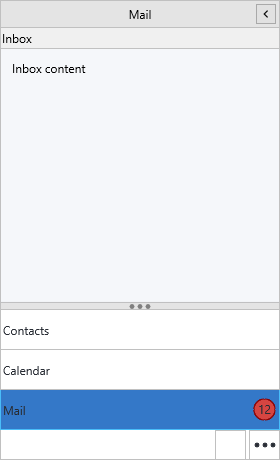
TTMSFNCNavigationPanel is a cross-platform, Outlook-style navigation sidebar.
It presents a collection of panel items as selectable headers, each with its own
content area, and can host a compact button bar, a draggable splitter, an
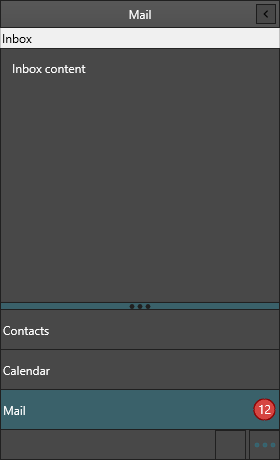
options overflow menu and a collapsible icon rail. Appearance is fully themable
across all interaction states, and every visual part can be owner-drawn.
Documentation
Where
What you'll find
Get started Drop the control, add items, switch a content area.
Guides Task chapters: panels, modes, overflow, appearance, events, custom drawing.
API reference Full member reference for TTMSFNCNavigationPanel.
Supported frameworks
Framework
Unit
FMX
FMX.TMSFNCNavigationPanel
VCL
VCL.TMSFNCNavigationPanel
Web (TMS WEB Core)
WEBLib.TMSFNCNavigationPanel
Minimal example
Minimal navigation panel Pascal C++ procedure TForm1.FormCreate(Sender: TObject);
begin
NavigationPanel1.Align := TAlignLayout.Left;
NavigationPanel1.Width := 220;
NavigationPanel1.BeginUpdate;
try
NavigationPanel1.Panels.Clear;
NavigationPanel1.AddPanel('Mail');
NavigationPanel1.AddPanel('Calendar');
NavigationPanel1.AddPanel('Contacts');
finally
NavigationPanel1.EndUpdate;
end;
NavigationPanel1.ActivePanelIndex := 0;
end;
procedure TForm1.NavigationPanel1ItemClick(Sender: TObject; AItemIndex: Integer);
begin
// Show the view that matches the clicked item.
ContentLayout.Visible := True;
Caption := 'Selected panel ' + IntToStr(AItemIndex);
end;
void __fastcall TForm1::FormCreate(TObject *Sender)
{
  NavigationPanel1->Align = TAlignLayout::Left;
  NavigationPanel1->Width = 220;

  NavigationPanel1->BeginUpdate();
  try
  {
    NavigationPanel1->Panels->Clear();
    NavigationPanel1->AddPanel("Mail");
    NavigationPanel1->AddPanel("Calendar");
    NavigationPanel1->AddPanel("Contacts");
  }
  __finally
  {
    NavigationPanel1->EndUpdate();
  }

  NavigationPanel1->ActivePanelIndex = 0;
}

void __fastcall TForm1::NavigationPanel1ItemClick(TObject *Sender, int AItemIndex)
{
  // Show the view that matches the clicked item.
  ContentLayout->Visible = true;
  Caption = "Selected panel " + IntToStr(AItemIndex);
}
API map
Guides
See also